
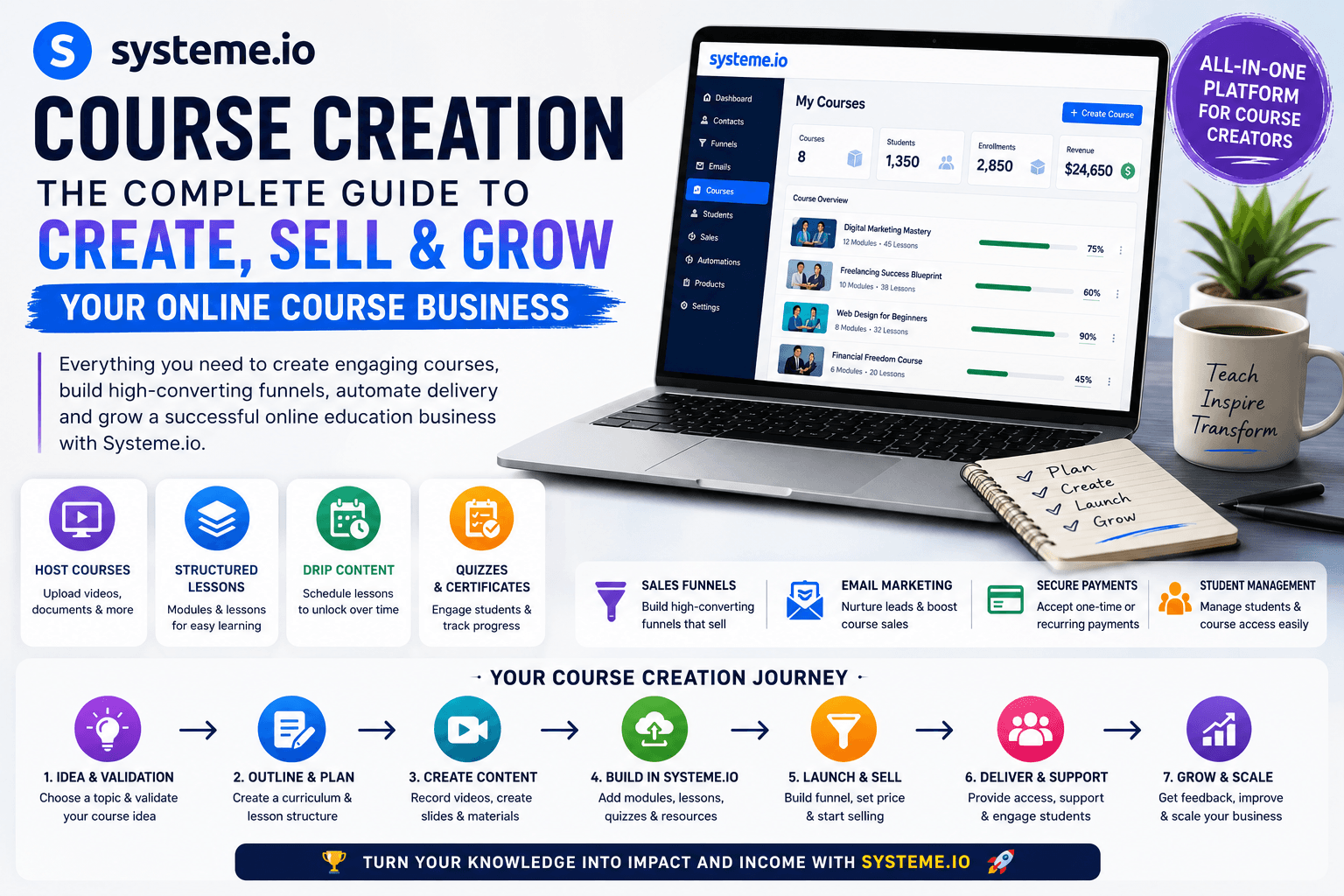

Learn Systeme.io course creation step by step. Discover how to plan, build, host, sell, automate, and market an online course using Systeme.io.
Systeme.io Course Creation: A Complete Step-by-Step Guide for Beginners
Creating an online course can be an excellent way to turn your knowledge, skills, experience, or expertise into a digital product. However, creating the course content is only one part of the process.
You also need a place to host your lessons, a system for managing students, landing pages to promote your course, payment processing, email marketing, automation, and a strategy for attracting new students.
This is where Systeme.io course creation can simplify the process.
Systeme.io is an all-in-one platform designed to help entrepreneurs and creators build, market, and sell online courses without having to combine multiple separate tools. Its current course platform includes course creation and hosting, modules and lectures, video lessons, drip scheduling, quizzes, course bundles, and automated student access. (Systeme.io)
In this comprehensive guide, you’ll learn how to create an online course with Systeme.io, structure your lessons, upload your content, create a sales funnel, connect payments, automate student access, market your course, and improve student engagement.
We’ll also cover the pros and cons of Systeme.io course creation, common mistakes, pricing considerations, FAQs, and a practical launch strategy.
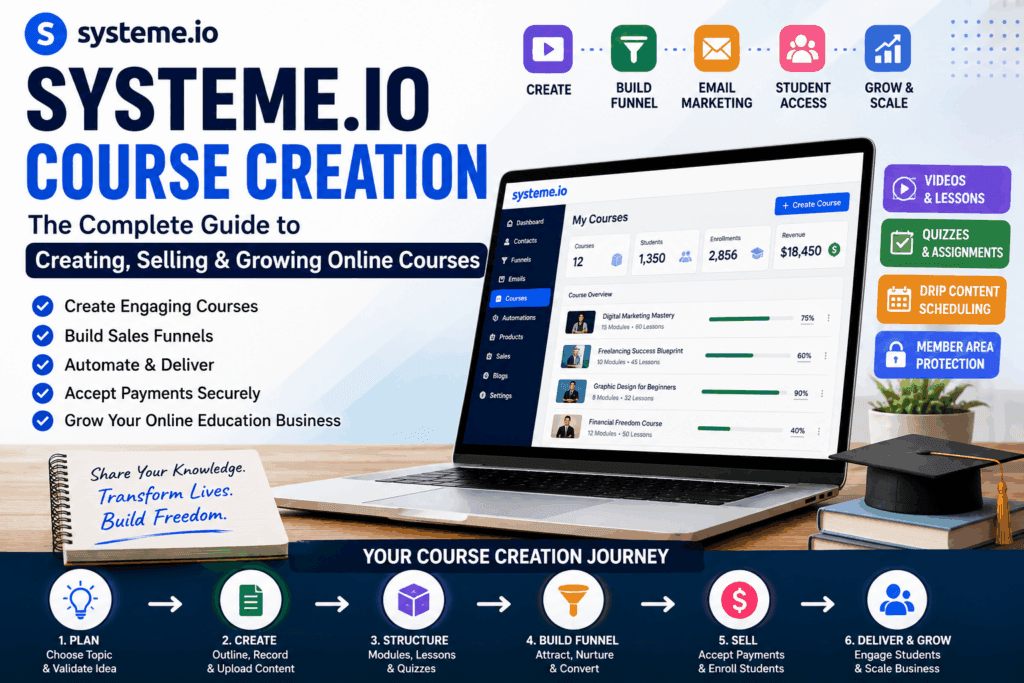
What Is Systeme.io Course Creation?
Systeme.io course creation is the process of using Systeme.io to build and deliver an online educational product.
Instead of purchasing separate software for:
- Course hosting
- Membership areas
- Landing pages
- Sales funnels
- Email marketing
- Marketing automation
- Student enrollment
- Online payments
- Course promotion
- Systeme.io Course Creation
you can bring many of these functions together in one platform.
The basic concept looks like this:
Course Idea → Course Content → Course Platform → Sales Funnel → Payment → Student Enrollment → Email Follow-Up → Course Delivery
This integrated approach can be especially useful for beginners who don’t want to manage a complicated technology stack.
Systeme.io’s current online-course offering supports video lessons, modules and lectures, scheduled content release, quizzes, course bundles, and automatic enrollment based on payment or enrollment rules. (Systeme.io)
Why Create an Online Course?
Before opening the course builder, you should understand why you’re creating the course in the first place.
An online course can help you:
- Monetize your expertise
- Build authority in a niche
- Generate an additional revenue stream
- Educate customers
- Build an audience
- Promote other products or services
- Generate leads for your business
- Create a scalable digital product
Unlike one-to-one consulting, where you exchange time directly for money, a digital course can be created once and sold repeatedly.
However, this doesn’t mean an online course automatically generates passive income.Systeme.io Course Creation
You still need to create useful content, attract the right audience, market the course, support students, and continually improve the product.
The real advantage is leverage.
You can package your knowledge into a structured learning experience that can serve many students without requiring you to personally repeat the entire lesson every time.
Who Can Use Systeme.io for Course Creation?
Systeme.io course creation can be useful for a wide range of creators and businesses.
Coaches
Coaches can turn their frameworks and training systems into structured educational programs.
Freelancers
Freelancers can create courses around skills such as graphic design, digital marketing, CAD, writing, web development, or freelancing.
Consultants
Consultants can convert their expertise into educational products that help customers solve specific problems.
Teachers
Teachers can create online educational programs and deliver lessons digitally.
Content Creators
YouTubers, bloggers, and social media creators can turn their knowledge into paid courses.
Entrepreneurs
Business owners can create courses to educate customers or develop an additional revenue stream.
Agencies
Marketing, design, development, and consulting agencies can use courses as educational products or lead-generation assets.
Step 1: Choose a Profitable Course Topic:Systeme.io Course Creation
The first step isn’t opening Systeme.io.
The first step is choosing the right course idea.
A common mistake is creating a course based entirely on what the creator wants to teach.
Instead, start with the audience.
Ask:Systeme.io Course Creation
- Who is my target student?
- What problem do they have?
- What result do they want?
- What transformation can I provide?
- What skills do I have?
- What questions does my audience repeatedly ask?
- Systeme.io Course Creation
A strong course usually solves a specific problem for a specific audience.
For example, instead of:
“Digital Marketing Course”
you could create:
“Digital Marketing for Local Businesses: How to Generate Your First 50 Leads”
The second idea is more specific and communicates a clearer outcome.
Systeme.io’s own current course-creation guidance recommends defining one audience and one outcome before building the course. (Systeme.io)
Step 2: Validate Your Course Idea
Don’t spend months recording videos before finding out whether people actually want the course.
Validation can save significant time.
You can validate your idea by:
- Asking your existing audience
- Conducting surveys
- Reviewing questions people ask online
- Studying competitor courses
- Publishing educational content
- Creating a waitlist
- Running a webinar
- Offering a pre-sale
- Speaking directly with potential students
- Systeme.io Course Creation
For example, suppose you want to create a course called:
“Complete Canva Graphic Design Course.”
Before recording 50 lessons, publish several Canva tutorials.
Monitor:
- Views
- Comments
- Questions
- Email signups
- Social engagement
- Direct inquiries
If people repeatedly ask for deeper training, that’s a useful signal.
Pre-selling can provide an even stronger validation method because people demonstrate interest through an actual purchase rather than simply saying they like the idea. Systeme.io’s course guidance also recommends validating the concept before investing heavily in production. (Systeme.io)
Step 3: Define the Course Transformation
A successful course should have a clear destination.
Think about:
Where is the student now?
and:
Where should the student be after completing the course?
For example:
Before
The student doesn’t know how to create a website.
After
The student can create and publish a professional website.
Or:
Before
The student doesn’t understand Google Ads.
After
The student can create and manage a basic Google Ads campaign.
This transformation becomes the foundation of your course structure.
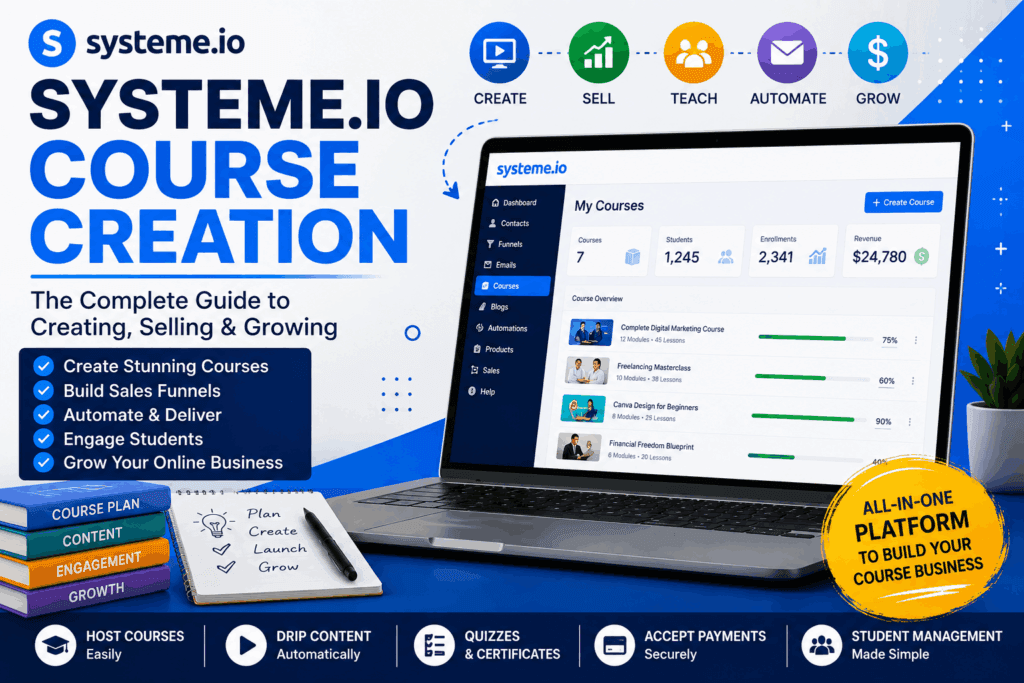
Step 4: Create Your Course Outline
Once your outcome is clear, divide the course into modules.
For example, imagine you’re creating:Systeme.io Course Creation
“Complete Freelancing Masterclass.”
Your structure could be:
Module 1: Introduction to Freelancing:Systeme.io Course Creation
- What is freelancing?
- How freelancing works
- Choosing your skill
- Selecting a niche
Module 2: Building Your Profile
- Creating a professional profile
- Writing an effective introduction
- Creating a portfolio
- Positioning your services
- Systeme.io Course Creation
Module 3: Finding Clients
- Searching for opportunities
- Writing proposals
- Client communication
- Project qualification
- Systeme.io Course Creation
Module 4: Winning Projects
- Understanding client requirements
- Creating proposals
- Pricing projects
- Negotiation
Module 5: Project Delivery
- Managing deadlines
- Client communication
- Revisions
- Final delivery
Module 6: Scaling Your Freelance Business
- Repeat clients
- Retainers
- Increasing rates
- Building systems
This structure takes the student through a logical journey.
Step 5: Break Modules Into Lessons
Each module should contain smaller lessons.
Avoid making one enormous lesson that covers everything.
Instead, divide complex topics into manageable sections.
For example:
Module: Creating a Freelancing Profile
Could contain:
- Choosing your profile title
- Writing your profile description
- Adding skills
- Creating a portfolio
- Adding work samples
- Optimizing your profile
Shorter lessons are often easier for students to consume and revisit.
The goal isn’t to make the course as long as possible.
The goal is to make it as useful as necessary.Systeme.io Course Creation
Step 6: Choose Your Course Format:Systeme.io Course Creation
Your course doesn’t have to be entirely video-based.
You can use different formats depending on your subject.
Video Lessons
Great for:
- Software tutorials
- Design
- Marketing
- Fitness
- Demonstrations
- Technical training
- Systeme.io Course Creation
Screen Recordings
Excellent for:
- Canva
- Photoshop
- Excel
- CAD software
- Website development
- Digital marketing platforms
- Systeme.io Course Creation
Presentations
Useful for:
- Business concepts
- Marketing theories
- Financial education
- Strategy
- Academic subjects
Text Lessons
Useful when students need:
- Detailed instructions
- Reference material
- Written tutorials
- Checklists
- Templates
Mixed Format
A combination of video, text, images, downloadable resources, and exercises can create a richer learning experience.Systeme.io Course Creation
Systeme.io’s course platform supports different types of course content and provides structures for modules and lectures. (Systeme.io)
Step 7: Create Your Systeme.io Account
After planning your course, you can move into the platform.
Systeme.io’s current help documentation places course creation under Assets → Courses, where you can select Add a new course and provide details such as the course name, domain, URL path, and theme. (Systeme Help)
The exact interface can change as the platform evolves, so use the current dashboard labels when following the setup process.Systeme.io Course Creation
Once the course has been created, you’ll be able to start building its internal structure.
Step 8: Create Your Course Modules
Modules are the major sections of your course.
Think of them as chapters in a book.
A good module name should immediately tell students what they’re going to learn.
Instead of:Systeme.io Course Creation
Module 1
use:
Module 1: Understanding Affiliate Marketing
Instead of:
Module 2
use:
Module 2: Building Your First Affiliate Funnel
Clear module names make the course easier to navigate.Systeme.io Course Creation Systeme.io Course Creation
Systeme.io’s current documentation includes a dedicated module-creation workflow within the course builder. (Systeme Help)
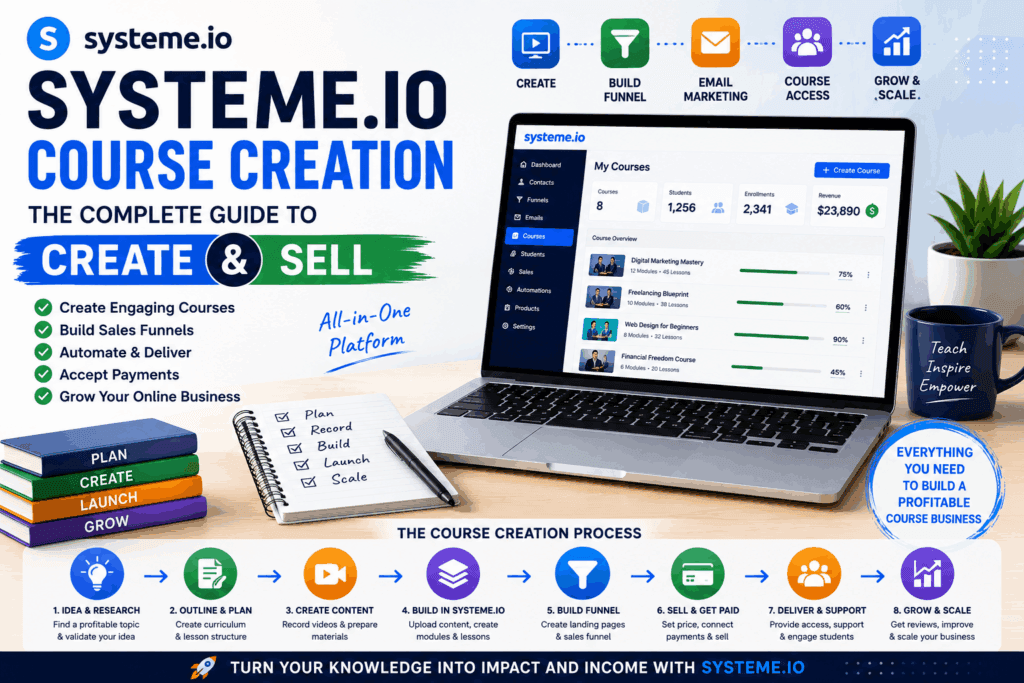
Step 9: Add Your Lessons
After creating modules, add individual lessons or lectures.
Each lesson should have a clear objective.
For example:
Lesson: How to Create a Landing Page
At the end of the lesson, students should understand:
- What a landing page is
- Why it matters
- What sections it should contain
- How to create one
- How to connect it to the next step
Don’t overload every lesson with unnecessary information.
One lesson should ideally answer one major question or accomplish one important task.
Step 10: Upload Your Course Content
Now it’s time to add your actual educational material.
Depending on your course format, this may include:
- Videos
- Text
- Images
- Audio
- Presentations
- Downloadable resources
- Exercises
- Quizzes
For technical courses, screen recordings can be especially effective because students can see exactly what you’re doing.
For example, if you’re teaching Systeme.io itself, demonstrate the process on screen rather than simply explaining where buttons are located.
Step 11: Use Drip Content
One useful feature for online courses is drip content.
Instead of giving students access to everything immediately, lessons can be released according to a schedule.Systeme.io Course Creation
For example:
Day 1: Module 1
Day 4: Module 2
Day 7: Module 3
Day 10: Module 4
This can prevent students from becoming overwhelmed.
It can also encourage students to follow the intended learning sequence.
Systeme.io currently supports drip scheduling for course content. (Systeme.io)
However, don’t use drip content simply because the feature exists.Systeme.io Course Creation
If students need immediate access to a reference resource, forcing them to wait may create frustration.
Use the delivery model that best supports your learning outcome.
Step 12: Create Quizzes and Student Activities: Systeme.io Course Creation
Watching videos isn’t always enough.
Students learn better when they have opportunities to apply what they’re learning.
You can incorporate:
- Quizzes
- Exercises
- Assignments
- Worksheets
- Templates
- Practical projects
- Reflection questions
Systeme.io’s current course platform includes quizzes among its supported course features. (Systeme.io)
For example, after a lesson about sales funnels, ask students to create their own funnel map.
After a lesson about SEO, ask them to perform keyword research.
The objective is to turn passive learning into active learning.
Step 13: Create a Course Sales Page
Creating a great course isn’t enough.
People need a reason to buy it.
Your sales page should explain:
Systeme.io Course Creation
What the Course Is
Give a clear description.
Who It’s For
Identify your ideal student.
What They’ll Learn
List the major modules and outcomes.
What Problem It Solves
Explain why the course matters.
Course Benefits
Focus on transformation rather than simply listing features.
Instructor Information
Explain why you’re qualified to teach the subject.
Testimonials
If available, show genuine student feedback.
Pricing
Make the price and payment terms clear.
Call to Action
Give visitors an obvious next step.Systeme.io Course Creation
For example:
“Enroll Now”
or:
“Start Learning Today.”
Step 14: Build a Sales Funnel
A sales funnel helps move potential students from awareness to enrollment.
A basic online-course funnel can look like: Systeme.io Course Creation
Traffic
↓
Landing Page
↓
Lead Magnet
↓
Email Sequence
↓
Course Sales Page
↓
Checkout
↓
Course Enrollment
↓
Student Onboarding
Systeme.io can connect sales funnels with course access, allowing purchased course resources to be assigned to customers. (Systeme.io)
This is one of the key advantages of using an integrated platform.
Step 15: Connect Payments and Course Access: Systeme.io Course Creation
After creating the sales process, you need to make sure customers receive the product after payment.
The basic process is:
Customer visits sales page
↓
Customer clicks purchase
↓
Customer completes payment
↓
Course access is granted
↓
Customer receives instructions
↓
Student starts learning
Systeme.io’s current course materials explain that course access can be connected to payments through sales funnels and websites. (Systeme.io)
Always test the complete purchase process yourself before launching. Systeme.io Course Creation
A broken checkout or incorrect access rule can create a poor customer experience.
Step 16: Create a Student Welcome Email
The first email after enrollment is extremely important.
It should tell students:
- Welcome to the course.
- How to log in.
- Where to access the lessons.
- What to do first.
- How the course is structured.
- Where to get help.
- What they should accomplish during the first session.
- Systeme.io Course Creation
Don’t make the first email overly complicated.
Your objective is to eliminate confusion.
Step 17: Use Email Marketing to Increase Course Sales
Email marketing isn’t only useful after someone buys.
It can help you sell the course too.
A basic promotional sequence could look like:
Email 1: Problem
Discuss the problem your audience faces.
Email 2: Education
Teach them something useful.
Email 3: Mistakes
Explain common mistakes.
Email 4: Solution
Introduce your course as a possible solution.
Email 5: Case Study
Share a genuine result or example.
Email 6: Objections
Answer common concerns.
Email 7: Call to Action
Invite readers to enroll.
Systeme.io combines course functionality with email marketing and funnel tools, which can reduce the need to move information between multiple platforms. (Systeme.io)
Systeme.io Course Creation and Automation
Automation can save time once your course business starts growing.
You can automate parts of the student journey such as:
New Lead
↓
Welcome Email
↓
Educational Email Sequence
↓
Course Offer
↓
Purchase
↓
Course Enrollment
↓
Student Welcome Email
↓
Course Reminders
↓
Engagement Follow-Up
The exact automation you create should depend on your business model.
Automation shouldn’t make your communication feel robotic.
Instead, use it to deliver the right information at the right stage.
How to Market a Systeme.io Course
Creating your course is only half the business.
You also need traffic.
There are several ways to promote your course.
SEO
Create articles around problems related to your course.
For example, if your course teaches freelancing, publish articles such as:
- How to Start Freelancing
- Best Freelancing Skills
- How to Create a Freelance Portfolio
- How to Find Freelance Clients
- How to Write a Freelance Proposal
Then direct relevant readers toward your lead magnet or course.
YouTube
YouTube is particularly powerful for educational businesses.
Create free tutorials that demonstrate your expertise.
For example:
“How to Create a Fiverr Profile”
Then invite viewers to access your complete training program.
Free content demonstrates your expertise and gives potential students a reason to trust you.
Social Media
Use platforms where your audience already spends time.
Publish:
- Tips
- Tutorials
- Short videos
- Case studies
- Student results
- Behind-the-scenes content
- FAQs
- Mistakes to avoid
- Educational carousels
Don’t make every post promotional.
A useful rule is to prioritize education first and promotion second.
Webinars
A webinar can be an effective bridge between free education and a paid course.
For example:
Free Webinar: 5 Steps to Start Freelancing
At the end, introduce:
Complete Freelancing Masterclass
The webinar gives people a preview of your teaching style.
Create a Lead Magnet for Your Course
A lead magnet gives people a reason to join your email list.
Examples:
- Free checklist
- Beginner’s guide
- PDF ebook
- Template
- Resource list
- Mini-course
- Webinar
- Cheat sheet
- Free lesson
For a graphic-design course:
“25 Canva Design Tips for Beginners”
For a freelancing course:
“Freelancer’s Client Acquisition Checklist”
For a digital marketing course:
“50 Digital Marketing Tools for Beginners”
The lead magnet should be directly related to your paid course.
How to Price Your Online Course
Course pricing shouldn’t be based only on the number of videos.
A course with ten highly valuable lessons can be more useful than a course containing 100 hours of poorly organized content.
Consider:
- The transformation
- Your expertise
- Target audience
- Competitor pricing
- Support level
- Course depth
- Bonuses
- Templates
- Community access
- Certification
- Student outcomes
You can offer different pricing structures such as:
One-Time Payment
Students pay once for lifetime or defined access.
Payment Plan
Students pay in multiple installments.
Subscription
Students pay monthly or annually for access.
Tiered Offer
You can create:
Basic
Course only.
Pro
Course + templates + bonuses.
Premium
Course + coaching + community.
Your pricing model should match your audience and the amount of value and support you provide.
Systeme.io Pricing for Course Creation
Systeme.io’s current online-course page lists a free plan and paid tiers, while its feature availability can vary by plan. The current course page shows Free with up to one course and $17/month as a paid tier with up to five courses; because software pricing and plan limits can change, it’s best to verify the current pricing before publishing specific numbers in a commercial article. (Systeme.io)
The important consideration isn’t simply the monthly subscription.
Calculate the total cost of your course business, including:
- Platform
- Domain
- Video production
- Microphone
- Camera
- Design
- Advertising
- Payment processing
- Customer support
- Software integrations
An all-in-one platform can potentially reduce the number of separate subscriptions you need.
Pros and Cons of Systeme.io Course Creation
Pros
1. All-in-One Platform
One of the biggest advantages is the ability to combine course delivery with marketing and sales tools.
2. Course Hosting
You can host your educational content without building a separate learning-management system from scratch.
3. Sales Funnels
You can build a funnel for attracting and converting students.
4. Email Marketing
Email marketing can be used for launches, onboarding, nurturing, and student communication.
5. Automation
Automated workflows can reduce repetitive tasks.
6. Drip Content
You can release course content according to a schedule.
7. Quizzes
Interactive assessments can make learning more engaging.
8. Course Bundling
The current platform supports bundling multiple courses together, which can be useful for creating larger educational offers. (Systeme.io)
9. Beginner-Friendly Approach
An integrated platform can reduce the technical complexity involved in connecting multiple systems.
10. Scalability
You can start with a simple course and gradually add marketing systems, additional products, and automation.
Cons
1. Less Specialized Than Some Dedicated LMS Platforms
If your business requires highly advanced learning-management functionality, a specialized LMS may offer features better suited to your requirements.
2. Platform Dependency
Your business becomes dependent on the platform’s features, policies, pricing, and availability.
3. Learning Curve
Although an all-in-one platform can simplify the technology stack, there are still multiple systems to learn, including funnels, email marketing, courses, and automation.
4. Course Success Still Depends on Marketing
A great course can fail if nobody discovers it.
5. Content Creation Requires Time
Recording videos, editing lessons, preparing resources, and maintaining the course can require substantial effort.
6. Student Engagement Is Your Responsibility
Technology can deliver the lessons, but it cannot replace good teaching, clear explanations, accountability, and student support.
Common Systeme.io Course Creation Mistakes
Mistake 1: Creating the Course Before Validating the Idea
Don’t spend months producing content for an audience that doesn’t exist.
Validate first.
Mistake 2: Making the Course Too Broad
A course trying to teach everything usually becomes difficult to follow.
Focus on one transformation.
Mistake 3: Adding Too Much Information
More content doesn’t necessarily mean more value.
Remove anything that doesn’t help students reach the intended outcome.
Mistake 4: No Practical Exercises
Students should apply what they learn.
Add exercises, assignments, templates, or projects whenever appropriate.
Mistake 5: Weak Course Introduction
Students should know:
- What they’ll learn
- How the course works
- What they need
- What outcome to expect
- How to get started
Mistake 6: Ignoring Course Completion
Getting a student to purchase is only the beginning.
A successful course should help students actually finish and apply what they learned.
Systeme.io’s current course guidance emphasizes designing around measurable learning objectives and student accountability because completion and outcomes matter as much as simply publishing lessons. (Systeme.io)
How to Increase Course Completion Rates
Course completion is a major challenge for many online educators.
Try these strategies:
Keep Lessons Focused
Avoid unnecessarily long lessons.
Create Milestones
Give students clear checkpoints.
Use Progression
Structure modules so each one builds on the previous one.
Add Practical Projects
Give students something to create.
Send Reminder Emails
Use email automation to remind inactive students to continue.
Celebrate Progress
Congratulate students when they complete important milestones.
Provide Support
Give students a clear way to ask questions.
The goal isn’t simply to sell access.
The goal is to help students achieve the promised transformation.
How to Build a Complete Systeme.io Course Funnel
Here’s a practical funnel model:
Stage 1: Traffic
Use:
- Google Search
- YouTube
- Social Media
- Paid Ads
- Partnerships
↓
Stage 2: Lead Generation
Offer:
Free Guide / Checklist / Webinar
↓
Stage 3: Email Nurturing
Send:
- Educational emails
- Case studies
- Tips
- Stories
- FAQs
- Course introduction
↓
Stage 4: Sales Page
Explain:
- Problem
- Solution
- Course
- Benefits
- Modules
- Bonuses
- Testimonials
- Price
- CTA
↓
Stage 5: Checkout
Allow the customer to purchase.
↓
Stage 6: Enrollment
Provide course access.
↓
Stage 7: Student Onboarding
Send a welcome email and explain what to do first.
↓
Stage 8: Course Completion
Use reminders and engagement strategies.
This creates an ecosystem rather than simply uploading videos to a website.
How to Build a Course Business Instead of Just a Course
Your first course can become the foundation of a larger business.
You could eventually add:
- Advanced courses
- Beginner courses
- Templates
- Coaching
- Consulting
- Memberships
- Webinars
- Workshops
- Digital products
- Affiliate recommendations
For example:
Free YouTube Content
↓
Free Ebook
↓
Beginner Course
↓
Advanced Course
↓
Coaching
This creates multiple ways to serve customers at different stages.
A 90-Day Systeme.io Course Creation Plan
Days 1–30: Research and Planning
Focus on:
- Choose your niche.
- Identify your audience.
- Define the problem.
- Validate demand.
- Create your course promise.
- Outline modules.
- Plan lessons.
- Prepare your recording setup.
Don’t worry about perfection.
Your objective is to create a clear blueprint.
Days 31–60: Course Production
Focus on:
- Creating modules.
- Recording lessons.
- Uploading videos.
- Adding text and resources.
- Creating quizzes.
- Configuring drip content where appropriate.
- Building your course pages.
- Testing student navigation.
By the end of this phase, your course should be substantially complete.
Days 61–90: Launch and Marketing
Focus on:
- Building your sales page.
- Creating a lead magnet.
- Setting up email sequences.
- Creating your sales funnel.
- Testing checkout.
- Creating promotional content.
- Launching to your audience.
- Collecting feedback.
- Improving weak areas.
Your first launch doesn’t have to be perfect.
Treat it as a learning process.
How Long Does It Take to Create a Systeme.io Course?
There isn’t one universal answer.
The timeline depends on:
- Course length
- Topic complexity
- Number of modules
- Your experience
- Video quality
- Editing requirements
- Availability
- Number of resources
- Whether you’re building the funnel simultaneously
Systeme.io’s own guidance notes that course creation timelines can vary substantially based on topic, depth, experience, and available time. (Systeme.io)
A short beginner course may be produced relatively quickly.
A comprehensive professional training program can take considerably longer.
Don’t measure your course by how quickly you can upload it.
Measure it by how effectively it helps students reach the promised outcome.
Best Practices for Systeme.io Course Creation
Follow these principles when building your course:
- Choose a specific audience.
- Solve one clear problem.
- Define a measurable transformation.
- Validate demand before production.
- Create a structured curriculum.
- Keep lessons focused.
- Use practical examples.
- Add exercises and resources.
- Build a sales funnel.
- Create an email sequence.
- Test your checkout process.
- Make student onboarding simple.
- Track student engagement.
- Collect feedback.
- Update the course regularly.
Frequently Asked Questions About Systeme.io Course Creation
1. What is Systeme.io course creation?
Systeme.io course creation is the process of building, hosting, delivering, marketing, and selling an online course using Systeme.io’s integrated course and business tools.
2. Can beginners create a course with Systeme.io?
Yes. The platform is designed to make course creation accessible without requiring advanced technical knowledge. You still need to learn how to structure your course, upload content, create your sales process, and market the product.
3. Can I host videos on Systeme.io?
Yes. Systeme.io’s current online-course platform supports video lessons as part of its course-delivery functionality. (Systeme.io)
4. Can I create multiple modules?
Yes. Courses can be organized into modules and individual lectures or lessons. (Systeme Help)
5. Can I drip course content?
Yes. Systeme.io currently supports scheduled or drip delivery of course content. (Systeme.io)
6. Can I create quizzes?
Yes. Quizzes are currently listed among the platform’s online-course features. (Systeme.io)
7. Can I sell my course through Systeme.io?
Yes. Systeme.io integrates course access with sales funnels and payment processes, allowing you to build a sales and enrollment flow around your course. (Systeme.io)
8. Do I need a separate website?
Not necessarily. Systeme.io provides website, funnel, and course-related functionality, allowing creators to build much of their online-course business within the same ecosystem. (Systeme.io)
9. Can I use email marketing to promote my course?
Yes. Email marketing can be used for lead nurturing, course launches, promotional sequences, onboarding, and student communication.
10. Is Systeme.io good for selling online courses?
It can be a strong option for creators who value an integrated platform for course delivery, funnels, email marketing, automation, and selling. Whether it is the best choice depends on your specific course requirements and the advanced features you need.
11. How much does Systeme.io cost for course creation?
Systeme.io currently offers a free plan and paid plans, but pricing and feature limits can change. Check the current official pricing page before making a purchasing decision. Its current course page lists a free option and paid tiers beginning at $17/month. (Systeme.io)
12. Can I create a course for free?
Systeme.io currently advertises a free plan that includes course functionality, although plan limits apply. Verify the current feature limits before launching a larger course business. (Systeme.io)
13. Can I create a membership site with Systeme.io?
Yes. Systeme.io’s course functionality includes a member-access environment where students can access gated educational content. (Systeme.io)
14. How do I market my Systeme.io course?
You can use SEO, YouTube, social media, email marketing, webinars, partnerships, organic content, and paid advertising. Your best channel depends on your target audience.
15. What makes an online course successful?
A successful course generally combines a clear problem, specific audience, useful curriculum, strong student experience, effective marketing, and continuous improvement based on feedback.
Read this also:
Systeme.io Affiliate Marketing: The Complete Guide to Building a Profitable Affiliate Business
Final Thoughts: Is Systeme.io Course Creation Worth It?
Systeme.io course creation can be a practical solution for entrepreneurs, educators, freelancers, coaches, consultants, and content creators who want to build and sell online courses without managing a complicated collection of separate tools.
Its strongest advantage is the integrated approach.
You can build your course, organize lessons, manage student access, create funnels, collect leads, use email marketing, automate parts of the customer journey, and sell your educational products within one broader ecosystem. (Systeme.io)
But remember that software isn’t the most important part of your course business.
Your students care about the result.
They want to know:
What will I be able to do after completing this course?
If you can answer that question clearly, create a structured curriculum around it, provide practical value, and build a marketing system that reaches the right audience, you have the foundation of a real online education business.
The best approach is simple:
Choose a problem → Validate the idea → Define the transformation → Build the curriculum → Create the course → Build the funnel → Market the course → Enroll students → Support them → Collect feedback → Improve the course.
Don’t try to create the biggest course.
Create the most useful course for a specific audience.
That’s the foundation of effective Systeme.io course creation.

Y