
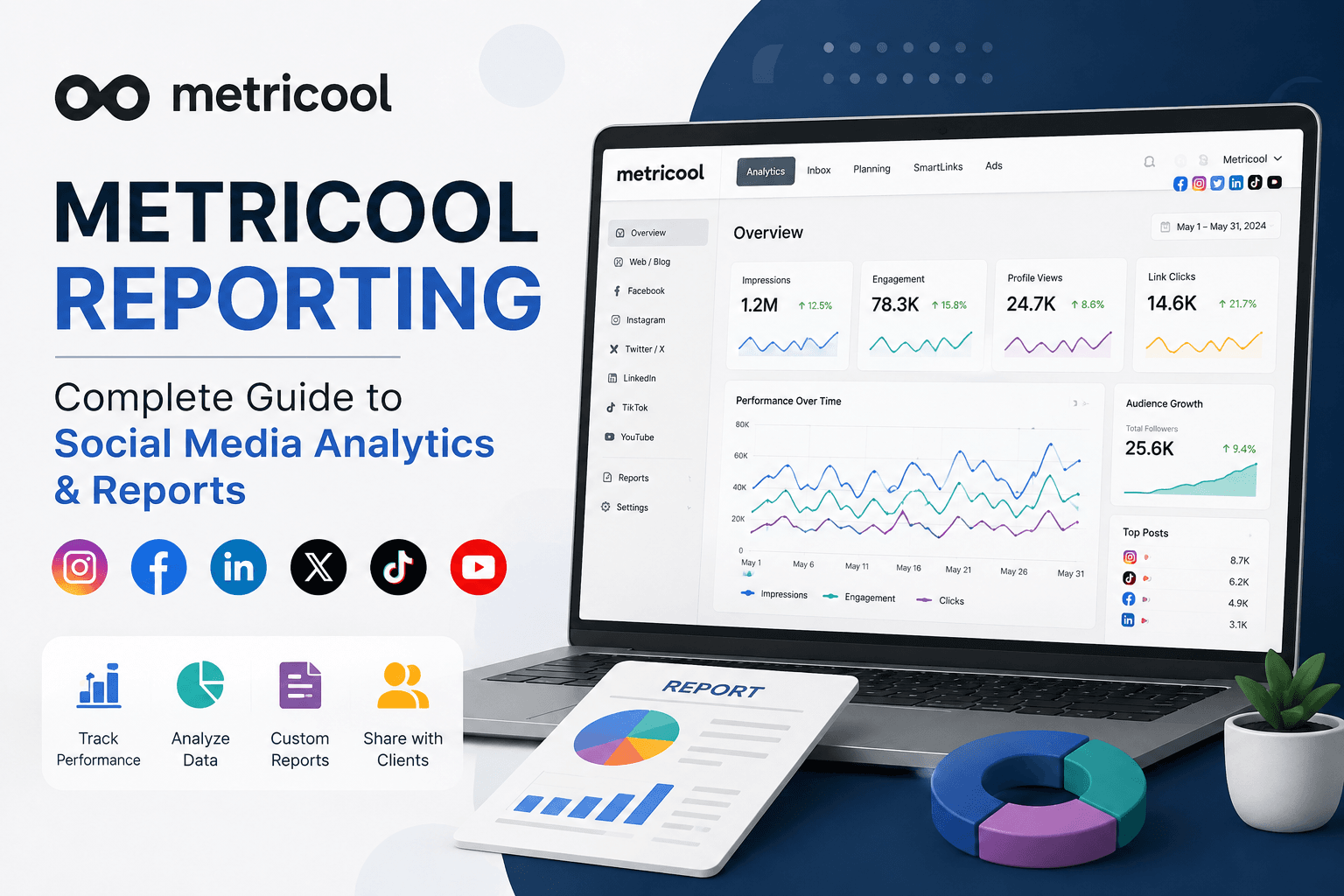

Metricool Reporting: Complete Guide to Social Media Analytics & Reports
Managing social media is not only about publishing posts consistently. To understand whether your social media strategy is actually working, you need accurate data, meaningful analytics, and professional reports.
This is where Metricool Reporting becomes useful.
Metricool is a social media management and analytics platform that helps marketers, agencies, businesses, freelancers, and creators manage multiple social networks from one place. Its reporting capabilities allow you to monitor social media performance, analyze important metrics, compare results over time, and present performance data in an easy-to-understand format.
Instead of manually collecting information from Facebook, Instagram, LinkedIn, X, TikTok, YouTube, and other platforms, you can use Metricool to organize your social media data and create reports more efficiently.
In this guide, we will explain Metricool Reporting in detail, including what it is, how it works, which metrics you should track, how to create a report, the benefits and limitations, and how agencies can use reports to communicate results with clients.
What Is Metricool Reporting?
Metricool Reporting refers to the reporting and analytics features available within Metricool that allow users to analyze and present social media performance data.
A social media report typically answers questions such as:
- How many people saw our content?
- How much engagement did our posts receive?
- Which social network performed best?
- Which posts generated the most engagement?
- Did followers increase during the reporting period?
- How much website traffic came from social media?
- Are our social media results improving?
- Which content should we create more of?
- metricool reporting
Instead of looking at individual analytics dashboards across multiple platforms, Metricool can bring important information together in one reporting environment.
This is particularly valuable for social media managers and agencies managing several accounts.
Why Social Media Reporting Is Important: metricool reporting
Social media analytics are only useful when you can turn them into actionable information.
For example, saying:
“Our Instagram received 100,000 impressions.”
doesn’t tell the entire story.
A professional report should help explain:
- What happened?
- Why did it happen?
- Which content contributed to the result?
- Was performance better than the previous period?
- What should we do next?
This makes reporting an important part of social media management.
1. Measure Performance
Reporting allows you to determine whether your social media strategy is producing measurable results.
You can monitor metrics such as reach, impressions, engagement, followers, clicks, views, and other platform-specific indicators.
2. Identify Successful Content
Not every post performs equally.
Reports can help you identify:
- Top-performing posts
- Highest-engagement content
- Most-viewed videos
- Posts generating clicks
- Content attracting new followers
This information can influence your future content strategy. metricool reporting
3. Demonstrate ROI
Businesses and clients want to understand what they are receiving from their social media investment.
A professional report provides evidence of performance and helps connect social media activities with business objectives.
4. Save Time
Manually collecting analytics from multiple platforms can take hours.
A centralized reporting solution can significantly reduce repetitive work.
5. Improve Client Communication
For agencies and freelancers, reporting is an important part of client management. metricool reporting
A well-designed report allows you to explain results clearly without forcing clients to navigate complicated analytics dashboards.
Metricool Reporting Features
Metricool’s reporting capabilities can be particularly useful when managing multiple social media accounts.
Depending on your connected platforms and Metricool plan, available metrics and reporting options can vary.
Some of the major areas you can monitor include the following.
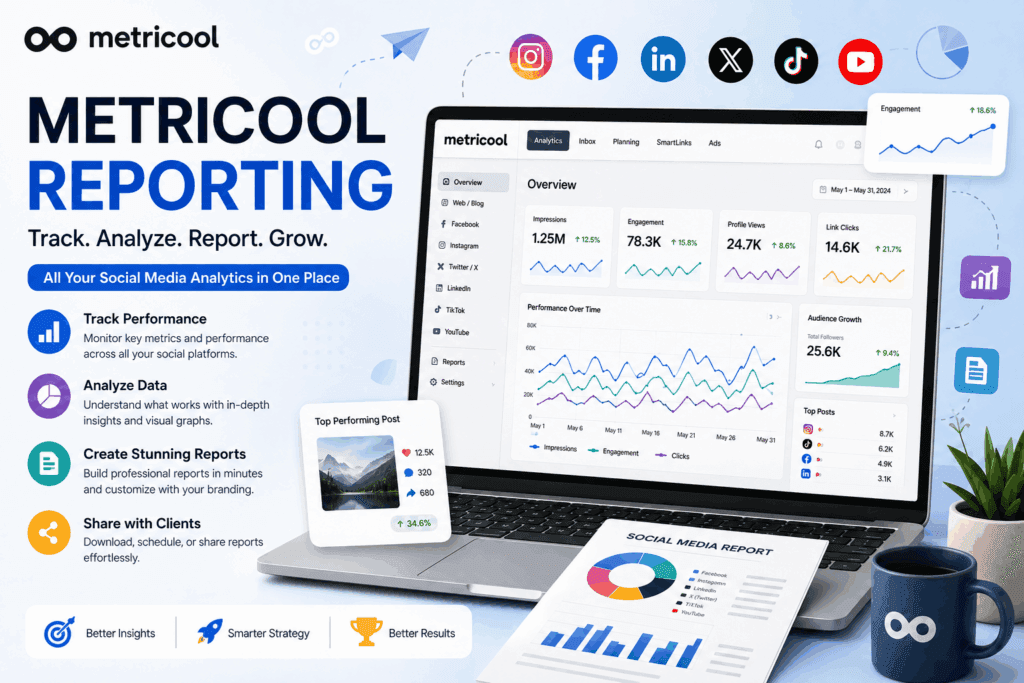
1. Social Media Analytics
Metricool allows you to analyze performance across supported social networks.
Instead of switching between several platforms, you can review important performance information from a centralized dashboard.
This can make it easier to identify overall trends.
2. Engagement Analytics
Engagement is one of the most important areas of social media reporting.
Depending on the platform, engagement can include:
- Likes
- Comments
- Shares
- Saves
- Reactions
- Replies
- Video interactions
- Other audience actions
- metricool reporting
High engagement can indicate that your content is resonating with your audience.
However, engagement should always be interpreted in relation to your goals.
For example, a post with fewer likes but many website clicks may be more valuable for a lead-generation campaign.
3. Reach and Impressions: metricool reporting
Reach and impressions are often confused.
Reach generally refers to the number of unique users who saw your content.
Impressions generally refer to the number of times content was displayed.
For example, if one person sees a post three times, that could potentially contribute one person to reach and three impressions.
Tracking these metrics can help you understand content visibility. metricool reporting
4. Follower Growth
Follower growth is another useful metric for social media reports.
A report can help you determine whether your audience is:
- Growing
- Declining
- Remaining stable
However, follower count should not be treated as the only measure of success.
A smaller but highly engaged audience can be more valuable than a large audience that rarely interacts with your content.
5. Best-Performing Posts
One of the most useful parts of social media analytics is discovering which content performed best.
You can use reporting data to identify:
- Most engaging posts
- Most viewed videos
- Most shared content
- Content generating clicks
- Posts attracting attention from your audience
This can help you create more content based on actual performance rather than assumptions.
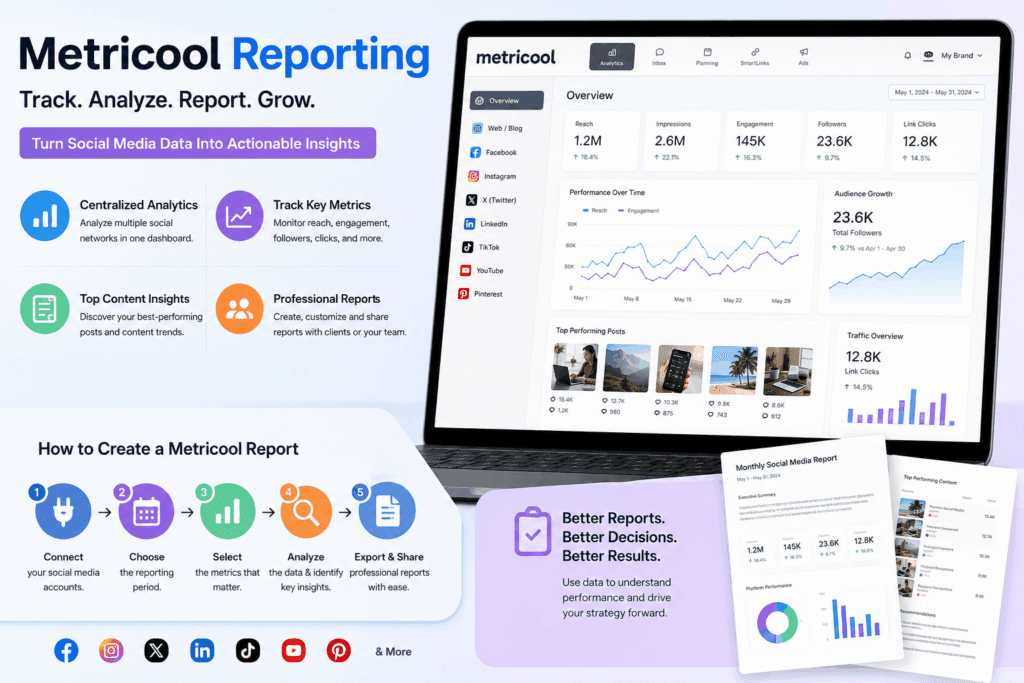
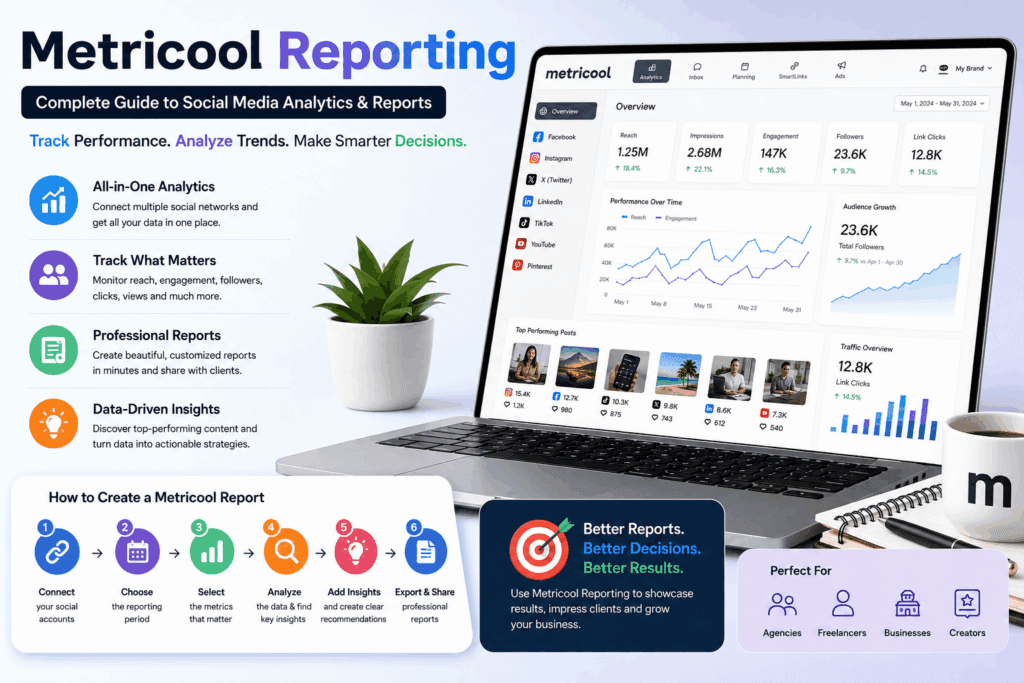
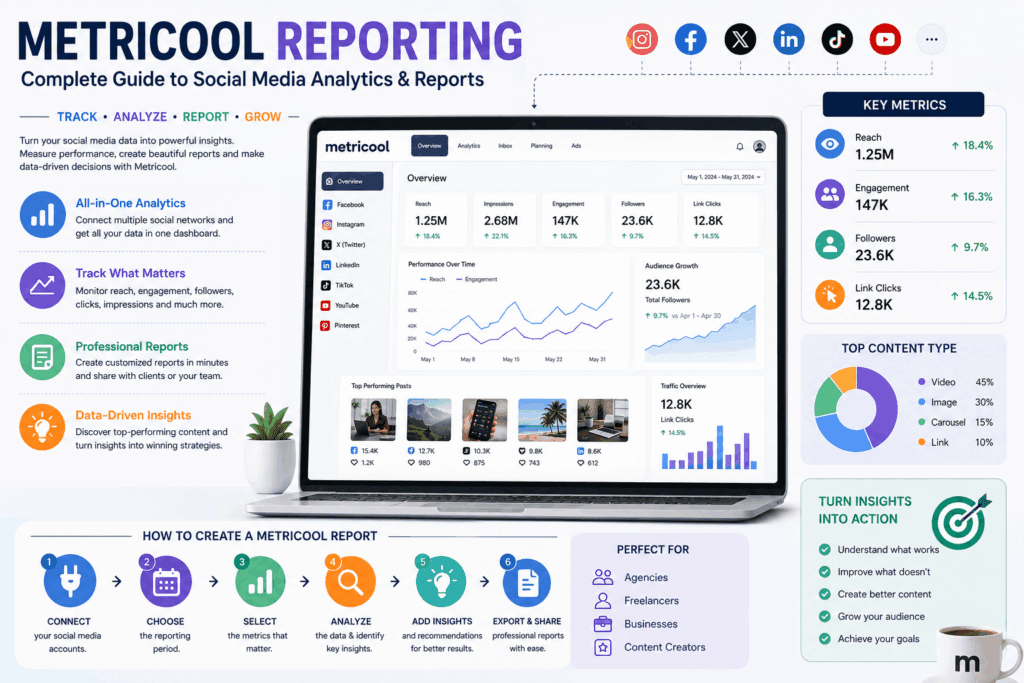
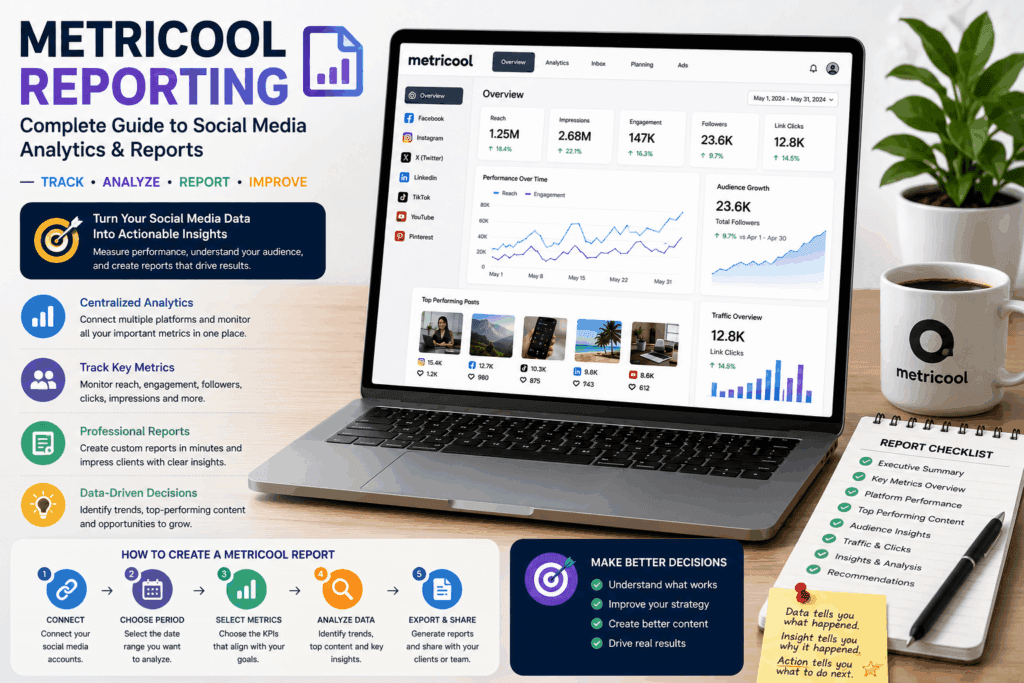
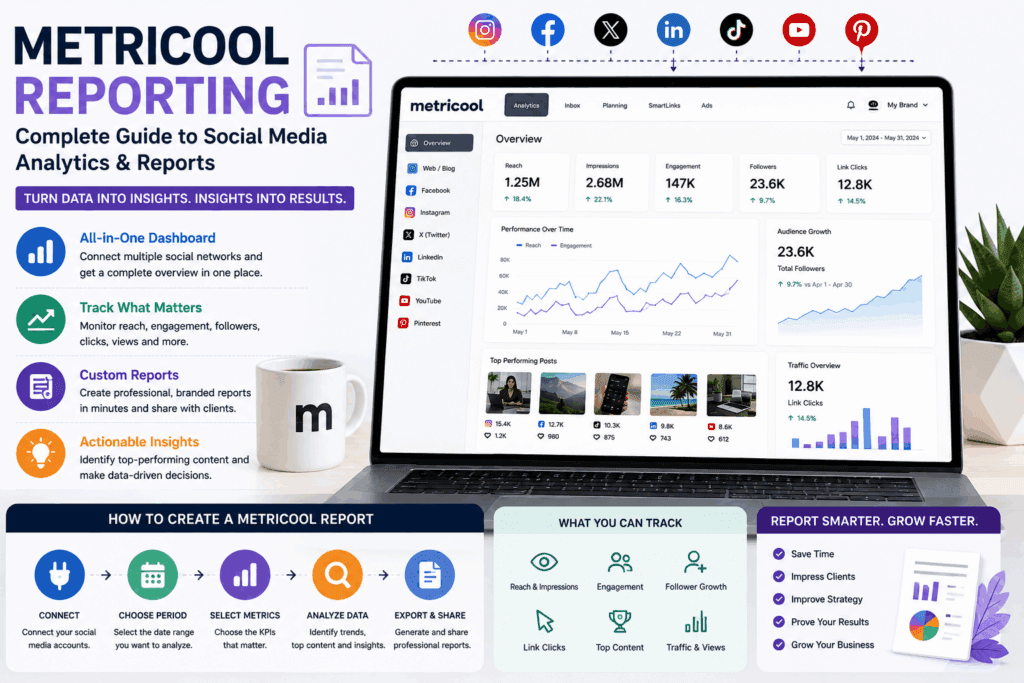
How to Create a Metricool Report
The exact interface and available reporting options can change as Metricool updates its platform, but the general workflow is straightforward.
Step 1: Create or Access Your Metricool Account
Start by accessing your Metricool account.
If you are managing social media for a business or client, organize your accounts and brands appropriately.
Keeping different clients or businesses separated makes reporting easier. metricool reporting
Step 2: Connect Your Social Media Accounts
Connect the social media profiles you want to analyze.
Depending on Metricool’s current integrations and your subscription, you may be able to connect platforms such as:
- X
- TikTok
- YouTube
- Other supported platforms
Make sure the appropriate permissions are granted.
Step 3: Select the Brand or Workspace
If you manage multiple businesses or clients, select the appropriate brand or workspace.
This is especially important for agencies.
You don’t want to accidentally include data from one client’s social accounts in another client’s report.
Step 4: Choose the Reporting Period
Select the date range you want to analyze.
Common reporting periods include:
- Last 7 days
- Last 30 days
- Previous month
- Current month
- Quarterly performance
- Custom date range
For monthly client reporting, using the previous calendar month can make comparisons easier.
For example:
July 1–July 31
can be compared with:
June 1–June 30
Step 5: Select Important Metrics
Don’t include every metric simply because it is available.
Choose metrics that support the client’s or business’s objectives.
For example, an awareness campaign may focus on:
- Reach
- Impressions
- Video views
- Follower growth
A traffic campaign may prioritize:
- Link clicks
- Website visits
- Click-through rate
A community-building campaign may emphasize:
- Comments
- Shares
- Saves
- Engagement rate
Step 6: Analyze the Data
Before sending the report to your client, analyze the numbers.
Look for:
- Significant increases
- Significant decreases
- Top-performing content
- Poor-performing content
- Audience growth
- Engagement changes
- Traffic trends
- Platform differences
- metricool reporting
The goal is not simply to present numbers.
The goal is to explain what those numbers mean.
Step 7: Add Context and Insights
A professional report should contain insights, not just statistics.
For example:
Weak reporting:
“Instagram engagement increased by 25%.”
Better reporting:
“Instagram engagement increased by 25%, primarily driven by short-form educational videos. Video content generated stronger interactions than static promotional posts, so we recommend increasing video frequency next month.” metricool reporting
The second example provides an actionable recommendation.
Step 8: Export or Share the Report
Once the report is ready, use the available Metricool reporting and sharing options to deliver it to your client or team.
Depending on your plan and current Metricool features, reporting formats and sharing options may vary.
Always review the final report before sending it.
What Metrics Should You Include in a Metricool Report?
One of the biggest mistakes in social media reporting is including too much data.
A good report should focus on the metrics that matter.
Here are some important categories.
Audience Metrics
Consider including:
- Total followers
- Follower growth
- Audience changes
- Audience demographics where available
These metrics help show whether your audience is expanding.
Engagement Metrics
Important engagement metrics can include:
- Likes
- Comments
- Shares
- Saves
- Reactions
- Engagement rate
Engagement tells you how actively users interact with your content.
Visibility Metrics
Useful visibility metrics include:
- Reach
- Impressions
- Video views
- Content views
These help evaluate how widely your content was distributed.
Traffic Metrics
If your objective is website traffic, consider tracking:
- Link clicks
- Website visits
- Referral traffic
- Landing-page visits
Where appropriate, combine social analytics with website analytics to obtain a more complete picture.
Metricool Reporting for Agencies
Agencies can benefit significantly from centralized social media reporting.
Imagine managing 20 clients.
Without a reporting system, you may need to:
- Log into Facebook.
- Download analytics.
- Open Instagram Insights.
- Collect LinkedIn data.
- Check TikTok analytics.
- Organize spreadsheets.
- Create charts.
- Build a PDF.
- Repeat the entire process for every client.
This can become extremely time-consuming.
Metricool can help agencies centralize social media management and analytics.
Benefits for Agencies
Save Time
Automated or streamlined reporting can reduce repetitive data collection.
Improve Professionalism
A structured report looks more professional than sending screenshots from different platforms.
Provide Consistency
Using a standard reporting process ensures that every client receives important information in a consistent format.
Improve Client Retention
Clients are more likely to understand the value of your work when you regularly communicate measurable results.
Metricool Reporting for Freelancers
Freelancers can also use reporting to differentiate themselves.
Instead of telling a client:
“I managed your social media this month.”
you can show:
- What was published
- How content performed
- Audience growth
- Engagement changes
- Top content
- Areas for improvement
- Recommendations for the next month
This makes your service appear more strategic and results-focused.
For freelancers, reporting can also support higher-value service packages.
Metricool Reporting for Small Businesses
Small businesses often don’t need extremely complicated analytics.
They need answers to simple questions:
- Are we growing?
- Are people engaging with our content?
- Which platform works best?
- Which posts generate attention?
- Are people clicking our links?
- What should we post next?
A concise monthly report can answer these questions.
For a local business, you might prioritize:
- Reach
- Engagement
- Follower growth
- Website clicks
- Top-performing content
- Local audience activity where available
How to Make a Professional Social Media Report
Creating a report is only half the job.
The presentation also matters.
Here are some practical recommendations.
1. Start With an Executive Summary
Begin with a short summary explaining the most important results.
For example:
Monthly Performance Summary
“Overall social media performance improved this month. Instagram generated the strongest engagement, while LinkedIn delivered the highest traffic growth. Short-form educational content was the strongest-performing content category.”
This gives clients immediate context.
2. Highlight Important Numbers
Don’t make the reader search through dozens of charts.
Highlight key KPIs such as:
- Total reach
- Engagement rate
- Follower growth
- Website clicks
- Video views
3. Compare With Previous Periods
A number without context can be misleading.
Instead of saying:
“50,000 impressions.”
say:
“50,000 impressions, up 18% compared with the previous month.”
Comparisons make reports much more meaningful.
4. Show Top-Performing Content
Include a section highlighting your best posts.
For each post, consider showing:
- Thumbnail
- Date
- Content type
- Reach
- Engagement
- Clicks
- Other relevant metrics
This makes it easier to understand what worked.
5. Include Recommendations
End the report with clear recommendations.
For example:
Next Month Recommendations
- Publish more short-form educational videos.
- Reduce low-performing promotional content.
- Test additional posting times.
- Increase content designed to generate comments.
- Repurpose high-performing topics across platforms.
This transforms the report from a data document into a strategy document.
Metricool Reporting Best Practices
Follow these best practices to get more value from your reports.
Focus on Business Goals
Don’t report metrics simply because they look impressive.
A business focused on lead generation may care more about clicks and conversions than follower count.
Keep Reports Simple
Avoid overwhelming clients with dozens of graphs.
A report should answer important questions quickly.
Use Consistent Reporting Periods
Monthly reports should ideally use consistent date ranges.
This makes month-to-month comparisons easier.
Explain Changes
If a metric increases or decreases significantly, explain why.
For example:
“Reach decreased 12% because fewer video posts were published this month.”
This is more useful than simply displaying the decrease.
Don’t Hide Negative Results
Professional reporting should be transparent.
If performance declined, explain:
- What changed
- Why it may have happened
- What you learned
- What you plan to do next
Clients generally value honest analysis more than artificially positive reports.
Metricool Reporting Pros and Cons
Pros
1. Centralized Analytics
You can manage and analyze multiple social media channels from a centralized platform.
2. Saves Time
It can reduce the need to manually collect data from multiple social networks.
3. Useful for Agencies
Agencies managing multiple clients can benefit from organized reporting workflows.
4. Professional Client Reporting
Reports can make client communication more structured and professional.
5. Helps Identify Trends
Analytics make it easier to identify content and platform trends.
6. Supports Data-Driven Decisions
Instead of relying entirely on assumptions, marketers can use performance data to guide their strategy.
7. Multiple Social Networks
Metricool supports multiple social platforms, allowing marketers to consolidate much of their social media workflow.
Cons
1. Feature Availability Depends on Plan
Some advanced capabilities may require a paid plan.
2. Platform Limitations
Not every social network exposes exactly the same data, so reporting capabilities can vary by platform.
3. Data Can Be Complex
Beginners may initially find the number of available metrics overwhelming.
4. Analytics Are Not the Whole Picture
Social media performance data doesn’t automatically tell you whether a campaign generated revenue or qualified leads.
You may need additional tools such as website analytics or CRM data.
5. Platform APIs Can Change
Social networks regularly update their APIs, permissions, and available metrics.
As a result, integrations and reporting capabilities can change over time.
Metricool Reporting vs Manual Reporting
Let’s compare a centralized reporting approach with manually collecting data.
| Feature | Metricool Reporting | Manual Reporting |
|---|---|---|
| Data collection | Centralized | Multiple platforms |
| Time required | Generally lower | Generally higher |
| Client reports | Structured | Must build manually |
| Multiple platforms | Easier to manage | More complicated |
| Trend analysis | Easier | Requires spreadsheets |
| Scalability | Better for multiple accounts | Time-consuming |
| Automation | Available depending on plan | Mostly manual |
| Consistency | Easier to maintain | Depends on workflow |
For businesses and agencies managing multiple social channels, centralized reporting can significantly simplify the workflow.
Common Mistakes to Avoid in Social Media Reporting
Mistake 1: Reporting Vanity Metrics Only
A large follower count isn’t automatically a business success.
Always connect metrics with goals.
Mistake 2: Showing Numbers Without Insights
Data without interpretation doesn’t provide much strategic value.
Explain what changed and why it matters.
Mistake 3: Ignoring Negative Performance
A decline isn’t necessarily a failure.
It can provide useful information about what needs to change.
Mistake 4: Using Too Many Metrics
More data doesn’t automatically mean a better report.
Focus on relevant KPIs.
Mistake 5: Not Comparing Results
A single month’s performance doesn’t tell you much.
Compare results against:
- Previous month
- Previous quarter
- Previous year
- Campaign benchmarks
when appropriate.
Mistake 6: Forgetting Recommendations
Always tell the reader what should happen next.
How to Turn Metricool Data Into Actionable Strategy
The real value of reporting comes from using data to improve your strategy.
For example:
If Video Views Are Increasing
Consider producing more video content.
If Engagement Is Low
Experiment with:
- Better hooks
- Questions
- Carousels
- Educational content
- Community-focused posts
If Reach Is High but Clicks Are Low
Your content may be attracting attention but not motivating users to take action.
Consider improving:
- Calls to action
- Headlines
- Offers
- Landing pages
- Link placement
If Followers Increase but Engagement Declines
You may be attracting users who are less relevant to your target audience.
Focus on audience quality rather than follower quantity.
Metricool Reporting for Monthly Client Reports
If you’re a social media manager, a simple monthly report structure can look like this:
Page 1: Executive Summary
Include:
- Overall performance
- Biggest wins
- Biggest challenges
- Key recommendations
Page 2: KPI Overview
Include:
- Reach
- Impressions
- Engagement
- Followers
- Clicks
Page 3: Platform Performance
Break down performance by:
- TikTok
- X
- YouTube
depending on the client’s channels.
Page 4: Top Content
Show the best-performing posts.
Page 5: Recommendations
Explain what you will do next month.
This format keeps the report easy to understand while still providing valuable information.
Who Should Use Metricool Reporting?
Metricool Reporting can be useful for:
- Social media managers
- Digital marketing agencies
- Freelancers
- Small businesses
- E-commerce businesses
- Content creators
- Bloggers
- Influencers
- Marketing teams
- Personal brands
- Businesses managing multiple social networks
If you regularly need to explain social media performance to yourself, a team, or clients, reporting can be valuable.
Is Metricool Reporting Worth It?
For anyone managing multiple social media channels, reporting can save time and improve decision-making.
The biggest advantage isn’t simply the ability to create a report.
It’s the ability to create a repeatable system:
Collect data → Analyze performance → Identify trends → Explain results → Make recommendations → Improve strategy
That’s what makes reporting valuable.
If you are a freelancer or agency, professional reporting can also help demonstrate the value of your services to clients.
However, you should choose your reporting metrics based on your objectives rather than trying to track everything.
Frequently Asked Questions About Metricool Reporting
1. What is Metricool Reporting?
Metricool Reporting is the process of using Metricool’s analytics and reporting capabilities to monitor, analyze, and present social media performance data.
2. Can Metricool create social media reports?
Yes. Metricool provides reporting features that can help users analyze social media performance and create/share reports, with available functionality depending on the current plan and supported platform integrations.
3. What social media metrics can Metricool track?
Available metrics vary by platform, but social media analytics can include areas such as reach, impressions, engagement, followers, clicks, views, and content performance.
4. Can agencies use Metricool Reporting?
Yes. Metricool can be useful for agencies managing multiple brands and social media accounts. Reporting can help agencies organize performance information and communicate results with clients.
5. Is Metricool Reporting free?
Metricool offers different plans and capabilities, and the exact reporting features available can vary by plan. Check the current Metricool pricing and feature information before choosing a subscription.
6. Can I report multiple social media platforms?
Metricool is designed to manage multiple supported social media platforms from a centralized environment. The exact networks and metrics available depend on the current integrations.
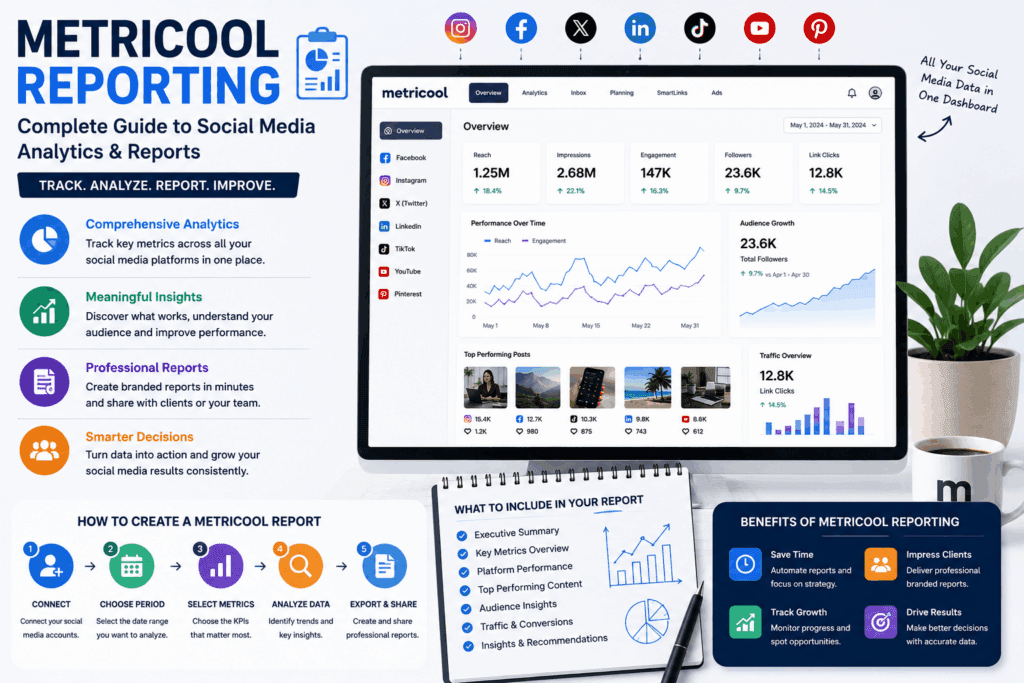
7. What should a social media report include?
A good social media report should generally include:
- Key performance indicators
- Reach
- Engagement
- Audience growth
- Top-performing content
- Traffic metrics when relevant
- Comparisons
- Insights
- Recommendations
8. How often should I create a social media report?
Monthly reporting is a common choice for businesses and clients.
Weekly reports can be useful for active campaigns, while quarterly reports are useful for evaluating longer-term trends.
9. What is the most important Metricool metric?
There isn’t one universally most important metric.
The right KPI depends on your objective.
For awareness, reach may be important.
For engagement campaigns, engagement rate may matter more.
For traffic campaigns, clicks can be more relevant.
For lead-generation campaigns, conversions should ultimately be considered.
10. Can Metricool replace Google Analytics?
Not necessarily.
Metricool and website analytics platforms serve different purposes.
Metricool can provide valuable social media performance data, while tools such as Google Analytics are designed to analyze website and user behavior data.
Using them together can provide a more complete view of your marketing funnel.
Final Thoughts
Read this also:
Systeme.io Affiliate Marketing: The Complete Guide to Building a Profitable Affiliate Business
Metricool Reporting can make social media analytics easier to organize, understand, and communicate.
Whether you’re a freelancer managing a few clients, an agency managing dozens of brands, or a business owner tracking your own social media, reporting helps transform raw analytics into useful business insights.
The most important thing to remember is that a successful report isn’t simply a collection of numbers.
A valuable report should answer three questions:
What happened?
Why did it happen?
What should we do next?
Use Metricool data to identify your strongest content, understand audience behavior, compare performance, discover opportunities, and continuously improve your social media strategy.
When reporting becomes part of your regular workflow, social media management becomes more measurable, strategic, and results-focused.
Quick Takeaway
If you’re starting with Metricool Reporting, focus on these five steps:
- Connect your social media accounts.
- Choose a consistent reporting period.
- Track KPIs related to your goals.
- Identify trends and top-performing content.
- Turn your findings into clear recommendations.
That’s the foundation of an effective social media reporting strategy.
