
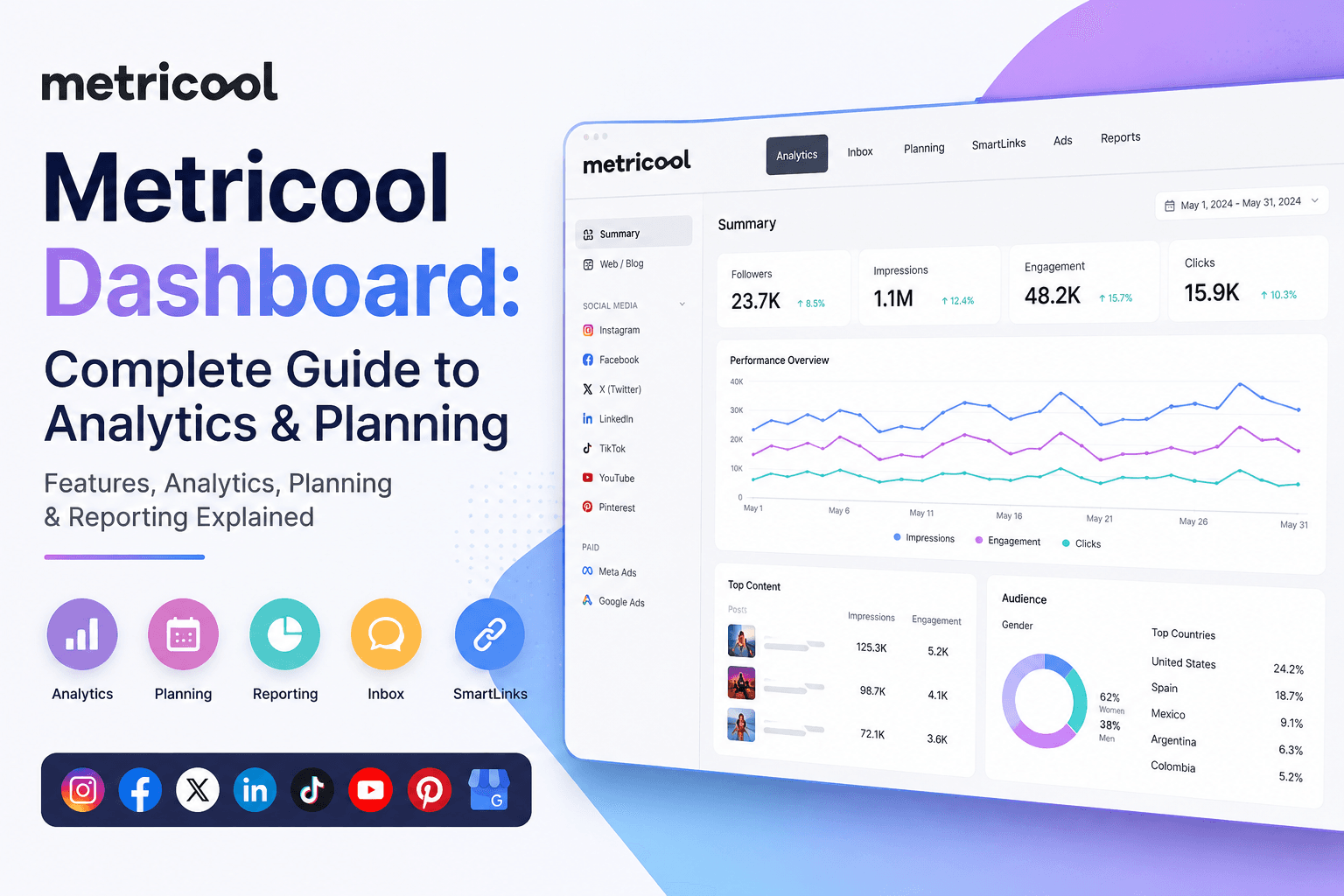

Metricool Dashboard: Complete Guide to Features, Analytics, Planning & Reporting
Metricool Dashboard: Complete Guide
Managing multiple social media accounts can quickly become overwhelming. You may need to switch between Instagram, Facebook, LinkedIn, TikTok, YouTube, X, Pinterest, Google Business Profile, and other platforms just to schedule content, check analytics, respond to messages, and prepare reports.
This is where the Metricool dashboard becomes useful.
Metricool is an all-in-one social media management platform that brings content planning, publishing, analytics, reporting, inbox management, SmartLinks, and advertising tools into one workspace. Instead of opening several platforms separately, you can manage many important social media tasks from a centralized dashboard.
For social media managers, creators, freelancers, agencies, and businesses, the dashboard can provide a much more organized way to manage day-to-day social media work.
In this complete guide, we will explain what the Metricool dashboard is, how it works, what each section does, how to use it effectively, its advantages and disadvantages, and whether Metricool is worth using for your social media strategy.
What Is the Metricool Dashboard?
The Metricool dashboard is the central workspace where you can access the platform’s major social media management features. https://metricool.com/
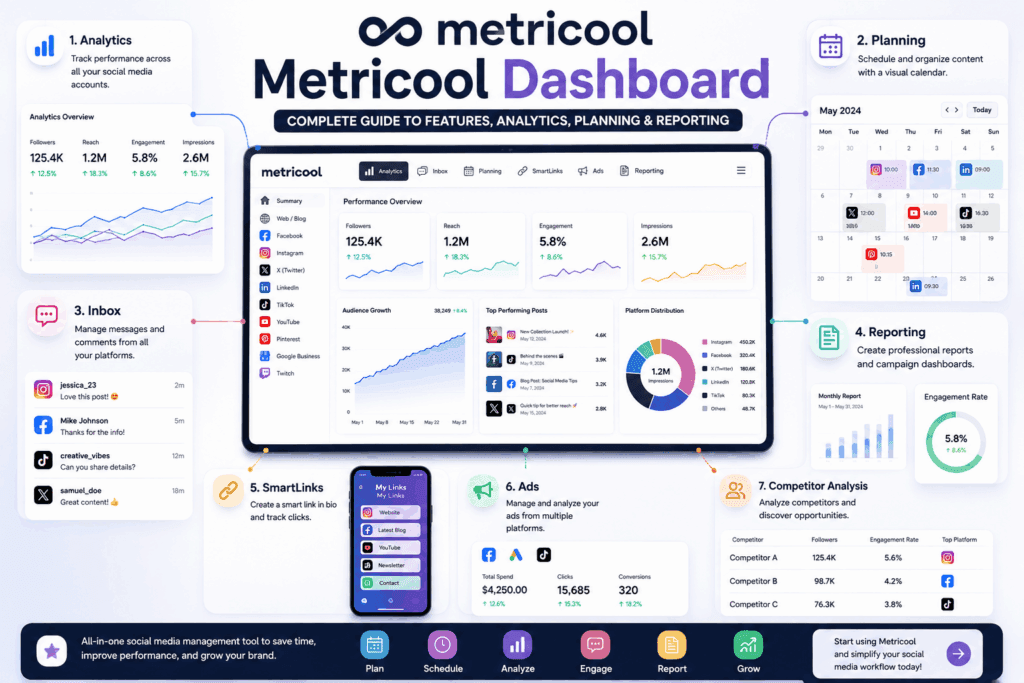
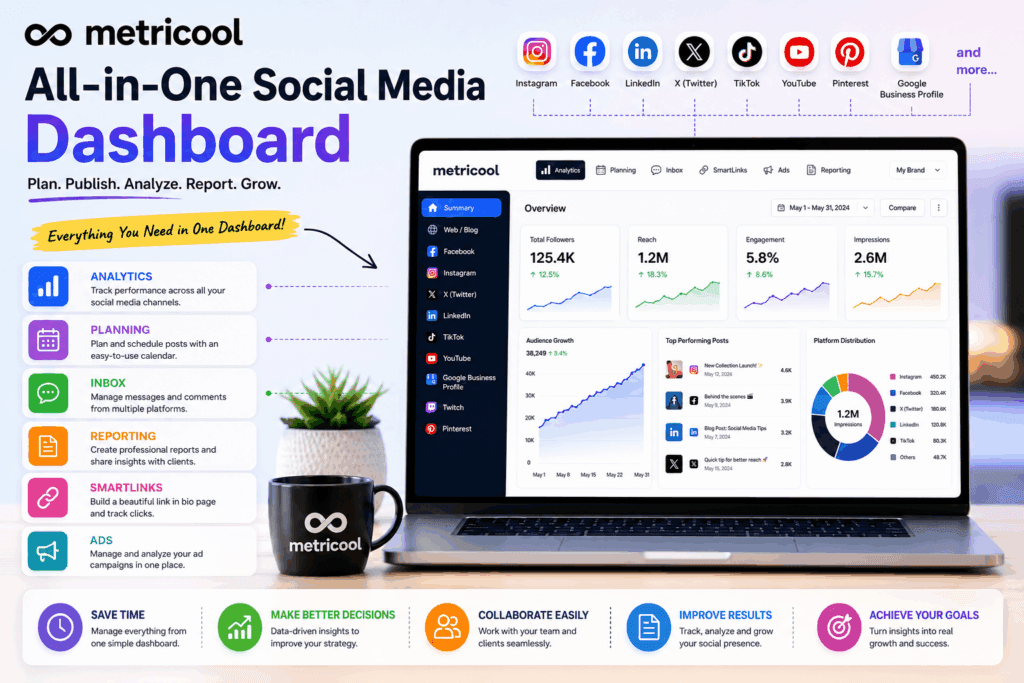
After creating an account and connecting your social profiles, Metricool organizes your work into different sections. The current interface includes major areas such as Analytics, Reporting, Inbox, Planning, SmartLinks, and Ads.
The basic idea is simple:
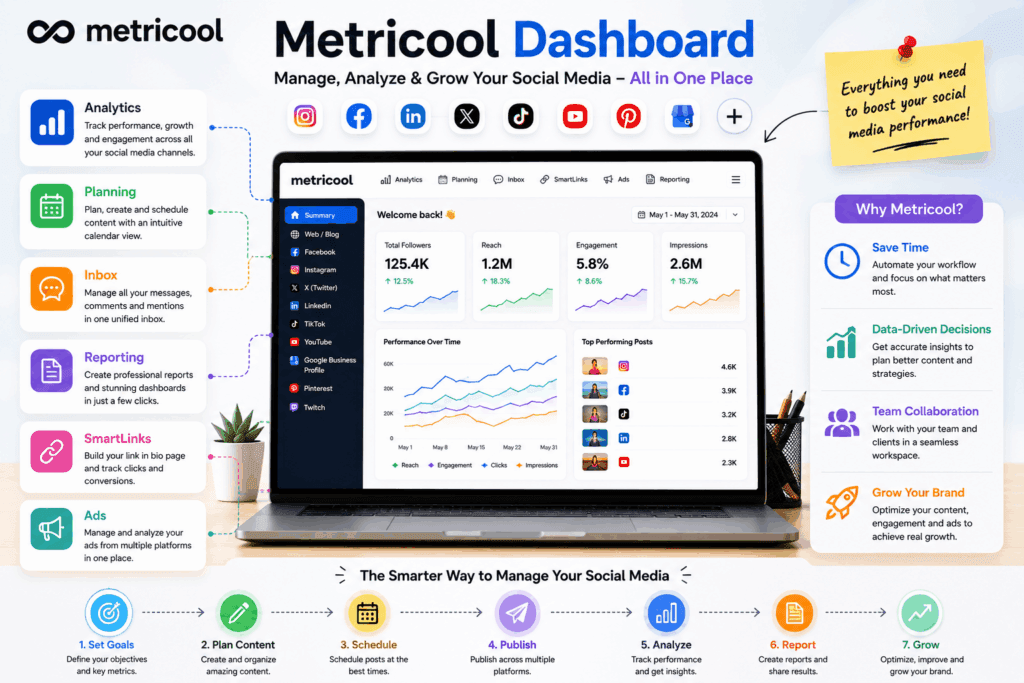
Connect your accounts → plan content → publish posts → monitor performance → analyze results → create reports → improve your strategy.
This centralized approach can save time because you do not have to manually collect information from every social network.
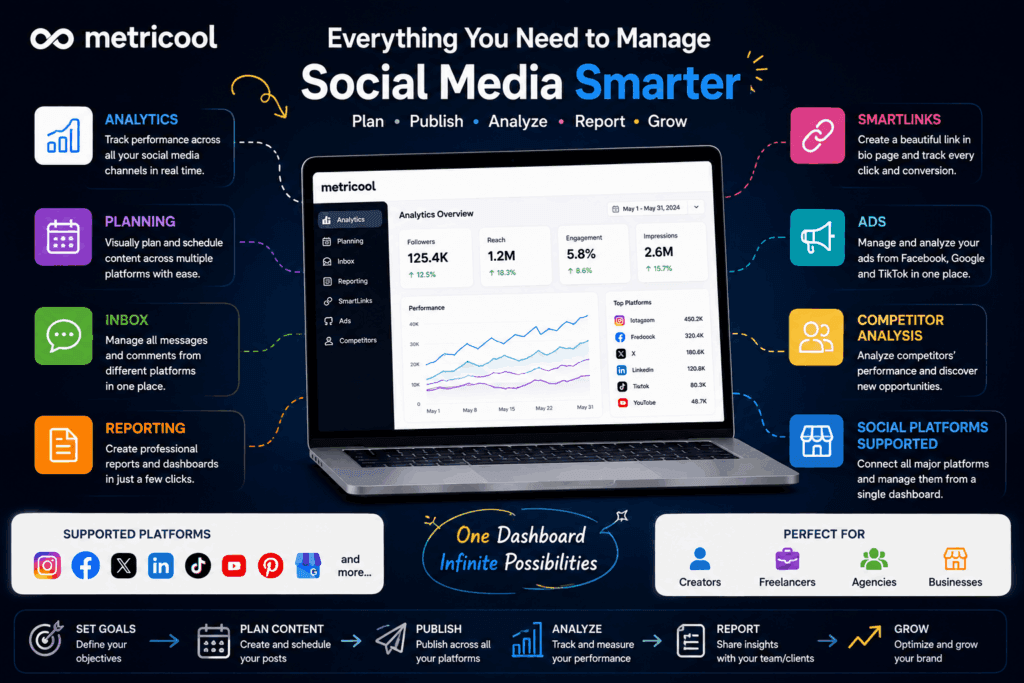
Metricool supports a broad range of platforms, including Facebook Pages, Instagram Business/Creator accounts, Threads, X, LinkedIn, Pinterest, TikTok, Google Business Profile, YouTube, Twitch, and advertising platforms such as Meta Ads, Google Ads, and TikTok Ads.
Why Is the Metricool Dashboard Important?
A social media strategy is not only about publishing posts. https://metricool.com/
A successful workflow usually involves:
- Content creation
- Content scheduling
- Publishing
- Engagement management
- Performance tracking
- Competitor research
- Campaign analysis
- Reporting
- Strategy improvement
- metricool.com/
Without a centralized system, these activities can become scattered across multiple tabs and spreadsheets.
The Metricool dashboard attempts to bring these activities together.
For example, you can schedule content from the Planning section, check performance in Analytics, manage conversations through Inbox, and create reports through Reporting.
This makes Metricool particularly useful for people managing several social profiles or clients.
How to Get Started With the Metricool Dashboard
Getting started with Metricool is relatively straightforward.
According to Metricool’s current getting-started documentation, a Brand works as a container for a business or client. You can connect the relevant social profiles to that Brand and then manage them from the platform.
Step 1: Create Your Metricool Account
First, create a Metricool dashboard account and log in. https://metricool.com/
You can start with the free plan if you want to explore the platform before committing to a paid subscription.
The Free plan currently includes one Brand and basic planning and analytics features, although it comes with limitations such as a limited analytics history and a monthly scheduling limit.
Step 2: Create or Select a Brand
A Brand is essentially your workspace for a business or client.
For example, if you manage:
- Your personal brand
- Client A
- Client B
- Client C
- https://metricool.com/
you can organize those businesses into separate Brands according to your Metricool plan.
This is especially useful for freelancers and agencies. https://metricool.com/
Step 3: Connect Social Media Accounts
Go to your account connections and connect the social profiles you want to manage.
Depending on your needs, you may connect:
- TikTok
- YouTube
- X
- Threads
- Google Business Profile
- Twitch
Metricool dashboard requires the appropriate permissions to access the connected accounts.
Step 4: Explore the Dashboard
Once your accounts are connected, start exploring the major dashboard sections.
The six primary areas are:
- Analytics
- Reporting
- Inbox
- Planning
- SmartLinks
- Ads
Each section serves a different purpose.
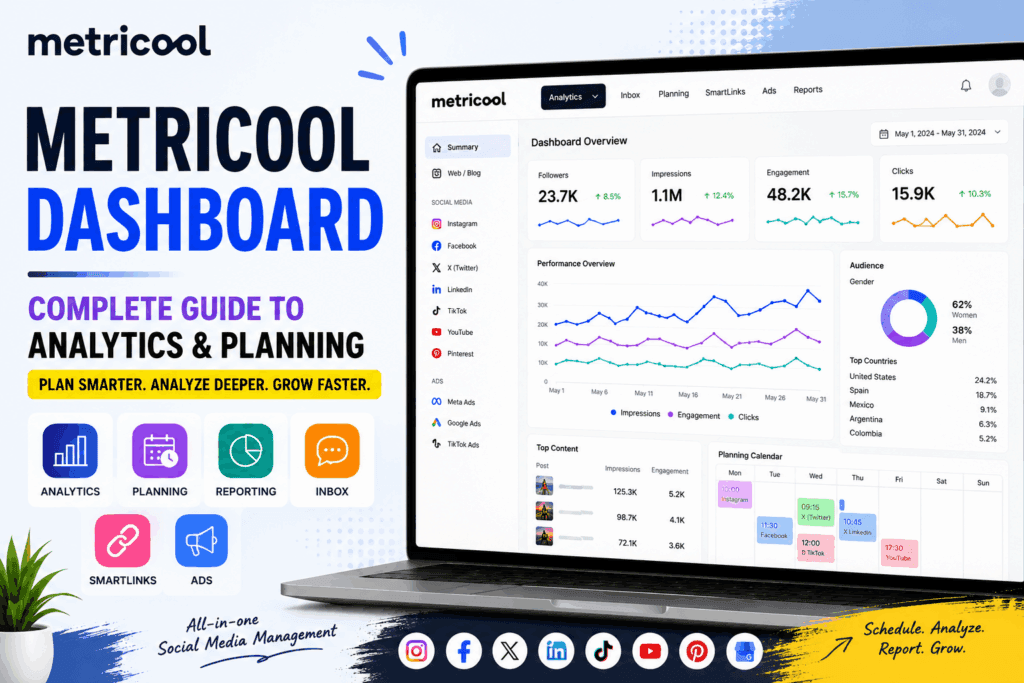
Metricool Dashboard Overview
Let’s look at each major section in detail.
1. Analytics Dashboard
Analytics is one of the most important parts of Metricool.
The Analytics section allows you to examine how your connected social profiles are performing.
You can choose Summary to get an overview across connected networks or select an individual network for more detailed information. You can also choose a specific date range and compare periods.
Depending on the connected platform, you can analyze metrics such as:
- Followers
- Reach
- Views
- Impressions
- Engagement
- Interactions
- Likes
- Comments
- Shares
- Saves
- Post performance
- Video performance
- Audience information
- Website metrics
- Paid advertising metrics
The exact metrics available vary by social network and account type.
Metricool dashboard currently provides organic and paid analytics across supported networks, with differences depending on platform and plan.
Why Analytics Matters
Posting content without analyzing performance is like driving without checking the road.
Your analytics can help answer questions such as:
- Which posts generated the most engagement?
- Which platform is growing fastest?
- What type of content performs best?
- When is your audience most active?
- Are your followers increasing?
- Which campaigns produced meaningful results?
- Which content should you create more often?
Instead of relying on assumptions, you can use performance data to make better decisions.
How to Use Metricool Analytics
A simple workflow is:
Step 1: Open Analytics
Select Analytics from the top menu.
Step 2: Select a Network
Choose Summary or an individual social network.
Step 3: Choose Your Date Range
Select the period you want to analyze.
You might compare:
- This week vs. last week
- This month vs. last month
- Current quarter vs. previous quarter
- Campaign period vs. previous period
Step 4: Review Key Metrics
Start with the metrics that directly relate to your goal.
For example:
Brand awareness: Focus on reach, impressions, views, and follower growth.
Engagement: Focus on comments, shares, saves, likes, and engagement rate.
Traffic: Focus on clicks and website activity.
Lead generation: Focus on traffic and conversions through your broader marketing analytics.
Step 5: Identify Patterns
Do not focus on one post only.
Look for patterns across multiple posts.
For example:
If educational carousel posts consistently generate more saves than promotional posts, consider creating more educational content.
This is where analytics becomes a strategy tool rather than simply a collection of numbers.
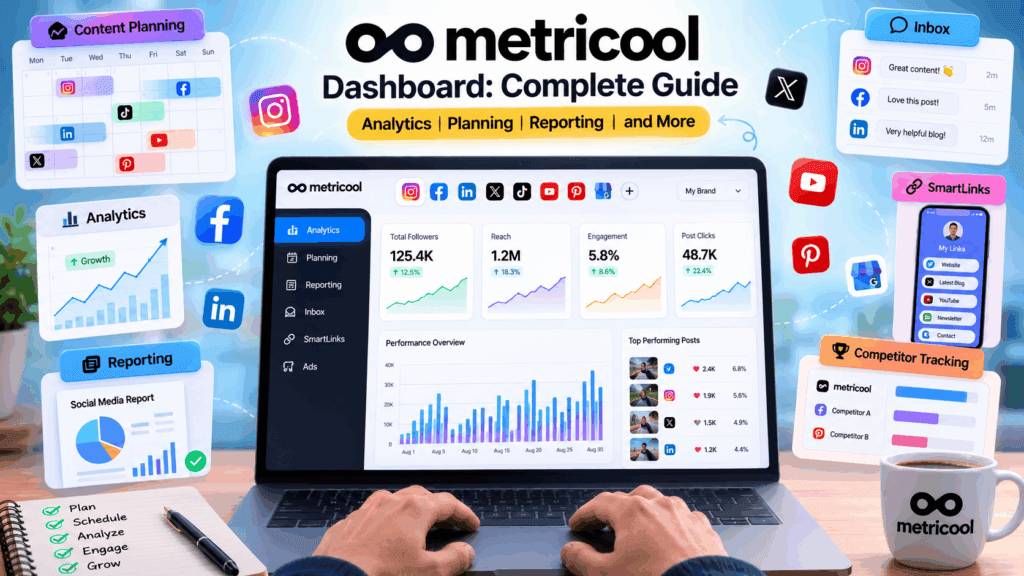
2. Metricool Dashboard Planning
The Planning section is where you can organize and schedule your social media content.
Metricool’s dashboard planner uses a calendar-style interface that allows users to plan content across multiple networks. Its current planner also includes features such as bulk planning, organized libraries, platform-specific presets, collaboration tools, and integrations with tools such as Canva and Google Drive on eligible plans.
What Can You Do With Planning?
You can use the planner to:
- Create social media posts
- Schedule content
- Organize your content calendar
- Preview planned content
- Manage publishing schedules
- Plan content for multiple networks
- Organize recurring content
- Use content libraries
- Collaborate with team members
The visual calendar makes it easier to understand your publishing schedule.
Why the Planning Calendar Is Useful
Imagine you have to publish:
- 5 Instagram posts
- 3 Facebook posts
- 5 Threads posts
- 3 LinkedIn posts
- 4 X posts
- 2 Pinterest posts
Managing all these manually can become time-consuming.
A centralized calendar allows you to see your publishing plan in one place.
You can also identify gaps in your schedule.
For example:
Monday: Instagram + LinkedIn
Tuesday: Facebook + Threads
Wednesday: Instagram + X
Thursday: LinkedIn + Pinterest
Friday: Instagram + Facebook
Instead of wondering what to publish next, you can create your content calendar in advance.
3. Metricool Reporting Dashboard
Creating reports is one of the most important tasks for social media managers and agencies.
Clients often want answers to questions such as:
- How did our social media perform this month?
- How many followers did we gain?
- Which posts performed best?
- Which platform generated the strongest results?
- Did engagement improve?
- What should we do next month?
Metricool’s dashboard Reporting section is designed to turn analytics data into reports and dashboards. It also includes tools such as Campaign Dashboards, Metricool Studio, and Looker Studio connectivity, depending on plan and feature availability.
Reporting vs. Analytics
It is important to understand the difference.
Analytics is primarily for exploring your data.
Reporting is designed for turning that information into something you can present, save, share, or use for client communication.
Metricool’s help documentation specifically describes Analytics as the place for day-to-day exploration, while Reporting is used for downloadable and saved reporting workflows.
4. Campaign Dashboards
Campaign Dashboards can be especially useful for marketers and agencies.
Instead of looking at every post separately, you can group content and ads associated with a particular marketing campaign.
For example:
Campaign: Summer Sale 2026
You could analyze the social content associated with that campaign and evaluate its overall performance.
Metricool says Campaign Dashboards can group posts and ads, analyze campaign performance, sync metrics, and create shareable links for reporting.
This can be valuable when reporting to clients.
Example Campaigns
You could create dashboards for:
- Product launches
- Black Friday campaigns
- Christmas campaigns
- Lead generation campaigns
- Webinar promotions
- Blog promotion campaigns
- YouTube launches
- Seasonal promotions
This makes campaign-level analysis much easier.
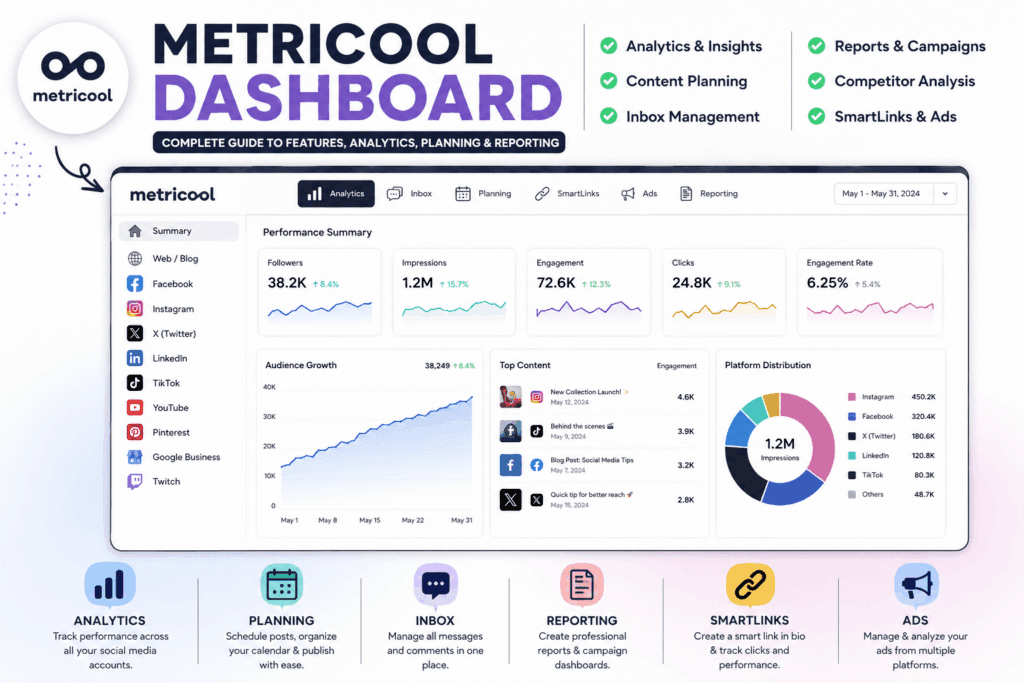
5. Metricool dashboard Inbox
Managing comments and messages across multiple social platforms can be difficult.
The Inbox section brings messages and comments from supported social networks into one place.
Metricool describes Inbox as a centralized place for managing social media messages and comments.
This can help social media managers avoid constantly switching between different applications.
Why Inbox Matters
Social media management isn’t just publishing.
You also need to:
- Reply to questions
- Respond to comments
- Handle customer inquiries
- Monitor conversations
- Follow up with potential customers
- Maintain relationships with your audience
A centralized inbox can make this workflow more manageable.
6. SmartLinks
The SmartLinks section provides link-in-bio functionality.
Instead of putting only one destination link in your social profile, SmartLinks can be used to create a page containing multiple destinations.
For example, a creator could include:
- Website
- Latest blog post
- YouTube channel
- Newsletter
- Online course
- Contact page
- Product page
Metricool dashboard also provides analytics for SmartLinks so you can evaluate link performance.
This can be useful for creators and businesses that rely on social media traffic.
7. Ads Dashboard
Metricool also provides advertising management capabilities.
Its current platform includes tools for managing and analyzing advertising campaigns from platforms such as Facebook Ads, Google Ads, and TikTok Ads, depending on availability and plan.
The advantage is having paid campaign information closer to your organic social media workflow.
Instead of analyzing organic content and advertising completely separately, you can build a broader picture of your marketing activity.
Metricool Dashboard Competitor Analysis
Another useful feature for marketers is competitor analysis.
Competitive research can help you understand:
- How frequently competitors post
- What content receives engagement
- How their follower growth compares
- Which content formats appear successful
- What strategies you could test
Metricool provides competitor analysis capabilities for supported social networks, including Instagram, Facebook, X, YouTube, and Twitch.
How to Use Competitor Analysis
Don’t copy competitors blindly.
Instead, use competitor data to discover patterns.
For example:
If several successful competitors are publishing educational videos regularly and receiving strong engagement, that could be a signal worth testing.
The goal is not to duplicate their content.
The goal is to understand the market and identify opportunities.
Metricool Dashboard Hashtag Tracking
Hashtags can still be useful for content discovery and research depending on the platform.
Metricool dashboard includes Hashtag Tracker functionality within its analytics ecosystem.
You can use hashtag research to understand:
- Relevant conversations
- Content trends
- Niche topics
- Potential content opportunities
However, hashtags should not be treated as a guaranteed growth strategy.
Your content quality, audience relevance, consistency, and platform-specific strategy remain important.
Metricool Dashboard for Social Media Managers
If you manage social media professionally, Metricool can help structure your workflow.
A practical workflow could look like this:
Monday — Analyze
Review the previous week’s performance.
Tuesday — Research
Analyze competitors and identify content ideas.
Wednesday — Create
Prepare captions, graphics, videos, and other content.
Thursday — Schedule
Add the content to the Metricool planner.
Friday — Report
Review campaign performance and prepare reports.
This approach can reduce repetitive manual work.
Metricool Dashboard for Freelancers
Freelancers managing several clients can benefit from the Brand-based structure.
Each client can have their own workspace, helping keep content and analytics organized.
For example:
Brand 1: Restaurant Client
Brand 2: Coaching Client
Brand 3: E-commerce Client
Brand 4: Local Service Business
You can then work with the relevant accounts without mixing their data.
Metricool dashboard also provides user permissions that can be configured for different functions, including analytics, planner, inbox, ads, SmartLinks, and reporting.
Metricool Dashboard for Agencies
Agencies often have more complicated requirements than individual creators.
An agency may need:
- Multiple client Brands
- Multiple users
- Approval workflows
- Client reporting
- Campaign dashboards
- Analytics
- Content scheduling
- Team collaboration
Metricool’s permission system allows different levels of access, including view-only and editing permissions for areas such as Analytics, Planner, Inbox, Reports, Ads, and SmartLinks.
This can make it easier to divide responsibilities among team members.
Metricool Dashboard for Beginners
One of the biggest advantages of Metricool is that beginners can start with the core features instead of trying to learn everything simultaneously.
If you are new, focus on these four areas first:
1. Connections
Connect your social accounts.
2. Planning
Learn how to schedule posts.
3. Analytics
Learn how to understand your basic metrics.
4. Reporting
Once you understand analytics, learn how to turn the data into reports.
Do not try to master every feature on your first day.
Start with your daily workflow and gradually add more features.
How to Create a Better Social Media Strategy Using Metricool Dashboard
A metricool dashboard is only valuable when you use the data properly.
Here is a practical five-step strategy.
Step 1: Define Your Goal
Choose one primary objective.
Examples:
- Increase followers
- Increase engagement
- Generate website traffic
- Generate leads
- Increase sales
- Improve brand awareness
Step 2: Track Relevant Metrics
Do not track every available number.
Focus on metrics related to your objective.
Step 3: Analyze Your Best Content
Find your top-performing posts.
Ask:
Why did these posts perform well?
Was it:
- The topic?
- The headline?
- The visual?
- The format?
- The timing?
- The CTA?
Step 4: Repeat What Works
Create more content based on successful patterns.
This does not mean publishing the same post repeatedly.
Instead, develop variations around proven topics and formats.
Step 5: Test and Improve
Social media is constantly changing.
Continue testing:
- Content formats
- Publishing times
- Headlines
- Hooks
- CTAs
- Visual styles
- Topics
Then use your Metricool analytics to evaluate the results.
Metricool Dashboard Free Plan vs. Paid Plans
Metricool offers a Free plan as well as paid plans.
The Free plan currently includes one Brand, basic analytics, and up to 20 posts per month in the planner, while paid plans provide expanded capabilities such as additional Brands, connections, reporting, and integrations.
The Free plan can be useful for beginners who want to understand the platform before upgrading.
However, professional social media managers may eventually need paid features because their requirements are usually larger.
Free Plan May Be Enough If:
- You manage one Brand
- You publish a limited number of posts
- You only need basic analytics
- You are learning social media management
- You are testing Metricool
A Paid Plan May Make More Sense If:
- You manage multiple clients
- You need more analytics history
- You need advanced reporting
- You need more Brands
- You need additional integrations
- You need more advanced collaboration features
Always check Metricool’s current pricing and feature limits before choosing a plan because plans and limits can change.
Pros and Cons of the Metricool Dashboard
Pros
1. Centralized Social Media Management
You can manage many important social media activities from one platform.
2. Strong Analytics
Metricool provides analytics for multiple supported social networks and allows users to explore performance by date range and network.
3. Content Scheduling
The planner provides a visual way to organize and schedule content.
4. Useful Reporting
Reporting and Campaign Dashboards can make client communication easier.
5. Competitor Research
Competitor analysis can help marketers identify trends and opportunities.
6. Centralized Inbox
Managing messages and comments in one place can save time.
7. Useful for Agencies
Brand and permission management can support multi-client workflows.
8. Beginner-Friendly Starting Point
The Free plan allows beginners to explore core functionality without immediately purchasing a subscription.
Cons
1. Free Plan Has Limitations
The Free plan has limits on Brands, scheduling, analytics history, and other features.
2. Advanced Features Require Paid Plans
Some advanced reporting, integrations, and collaboration capabilities are restricted to higher plans.
3. Platform-Specific Limitations
Social networks have different APIs and capabilities, so not every Metricool feature works identically across every platform.
4. Learning Curve
Although the basic interface is relatively approachable, Metricool has many features. Beginners may need some time to understand analytics, reporting, campaigns, and scheduling.
5. Data Availability Can Differ
The metrics and historical data available can vary by social network, account type, and plan.
Best Practices for Using the Metricool Dashboard
Keep Your Dashboard Organized
Use separate Brands for different businesses or clients where appropriate.
Review Analytics Regularly
Do not wait until the end of the year to analyze your social media performance.
Weekly and monthly reviews can reveal useful trends.
Build a Content Calendar
Avoid creating every post at the last minute.
Plan your content around:
- Educational content
- Promotional content
- Engagement content
- Industry news
- Behind-the-scenes content
- Customer stories
- Case studies
Focus on Business Goals
High likes do not always mean high business value.
Connect social media metrics to your actual objective.
Use Competitors for Research
Study successful competitors, but develop your own brand voice.
Create Reports That Tell a Story
Do not simply send clients dozens of numbers.
Explain:
What happened → Why it happened → What worked → What did not work → What you will do next.
That makes a report much more valuable.
Common Metricool Dashboard Problems and Solutions
Problem 1: Social Account Is Not Connecting
Check that you have the appropriate administrator or owner permissions and follow the platform’s authorization process.
If the connection continues to fail, check Metricool’s connection troubleshooting documentation.
Problem 2: Analytics Are Not Showing Immediately
When a new profile is connected, Metricool needs time to synchronize data. Its getting-started documentation notes that initial data may take a few minutes to appear, while historical data availability depends on the platform and account.
Problem 3: A Feature Is Missing
The feature may be unavailable on your current plan or may not be supported for the connected social network.
Check the relevant Metricool feature documentation before assuming something is broken.
Problem 4: Website Analytics Are Not Showing
If you connect a website or blog, Metricool requires its tracking code to collect website data. Metricool states that website tracking begins from the point the code is installed, so previous website data cannot be retrieved through that tracking setup.
Is Metricool Dashboard Worth Using?
For many creators, businesses, freelancers, and social media managers, Metricool can be a valuable tool because it combines several common social media management tasks in one platform.
Its biggest strength is not necessarily one individual feature.
The real advantage is the combination of planning, analytics, reporting, engagement management, competitor research, and other marketing tools within one workspace.
If you manage only one social media account and rarely schedule content, you may not need a comprehensive management platform.
But if you manage multiple platforms or clients, a centralized dashboard can save significant time and make your workflow more organized.
Final Verdict
The Metricool dashboard is designed to simplify social media management by bringing planning, analytics, reporting, inbox management, SmartLinks, and advertising into one centralized environment.
For beginners, the best approach is to start with Planning and Analytics.
For social media managers, add Reporting, Inbox, and competitor analysis to your workflow.
For agencies, Brands, permissions, campaign dashboards, and client reporting can become particularly valuable.
The most important thing to remember is that Metricool is a tool—not a replacement for strategy.
A metricool dashboard can show you what happened, but you still need to understand your audience, create useful content, test different approaches, and make strategic decisions.
If you use the data consistently, the Metricool dashboard can become much more than a scheduling tool. It can serve as a central workspace for planning, measuring, and improving your entire social media workflow.
Frequently Asked Questions About Metricool Dashboard
1. What is the Metricool dashboard?
The Metricool dashboard is a centralized workspace for managing social media activities such as planning, scheduling, analytics, reporting, inbox management, SmartLinks, and advertising.
2. Is Metricool free?
Yes. Metricool currently offers a Free plan with one Brand and basic functionality. The Free plan has limitations compared with paid plans.
3. What social networks can I connect to Metricool?
Supported platforms currently include Facebook Pages, Instagram Business/Creator, Threads, X, LinkedIn, Pinterest, TikTok, Google Business Profile, YouTube, Twitch, and various advertising platforms. Availability can vary by feature and account type.
4. Can I schedule social media posts with Metricool?
Yes. The Planning section allows users to organize and schedule content across supported social networks.
5. Can Metricool analyze Instagram?
Yes. Metricool provides Instagram analytics, including account and content performance metrics, subject to platform and plan limitations.
6. Can Metricool create social media reports?
Yes. Metricool’s Reporting area is designed for creating reports and dashboards, with specific reporting features depending on the plan.
7. Can I manage multiple clients in Metricool?
Yes. Metricool uses Brands to organize businesses or clients, with the number of available Brands depending on your plan.
8. Can I manage comments and messages from Metricool?
Yes. Metricool’s Inbox provides a centralized place for managing supported social media messages and comments.
9. Does Metricool provide competitor analysis?
Yes. Metricool offers competitor analysis for supported networks, allowing marketers to compare performance and research competing accounts.
10. Is Metricool good for beginners?
Yes. Beginners can start with the core planning and analytics features and gradually explore advanced functionality as they become more comfortable with the platform.
11. Is Metricool good for social media agencies?
Metricool can be useful for agencies because it supports multiple Brands, user permissions, planning, analytics, reporting, and campaign dashboards.
12. Should I use Metricool or native social media dashboards?
It depends on your workflow. Native platforms can provide platform-specific functionality, while Metricool is useful when you want to centralize management and analysis across multiple networks.
Conclusion
Read this also:
Systeme.io Affiliate Marketing: The Complete Guide to Building a Profitable Affiliate Business
The Metricool dashboard can make social media management more organized by bringing important tasks into one place.
Instead of separately managing content calendars, analytics, reports, messages, competitors, and campaigns across different platforms, you can create a more centralized workflow.
For beginners, start small.
Connect your accounts, schedule your content, check your analytics, and learn from your best-performing posts.
As your social media operation grows, explore reporting, campaign dashboards, competitor analysis, Inbox, SmartLinks, advertising, and other advanced features.
The ultimate goal is not simply to use more features.
The goal is to save time, understand your data, create better content, and make smarter social media decisions.
